The Gate Lodge
Keep the router. Add a host. One UDP port.
The house already had a router we liked: an Asus running Merlin, doing Wi-Fi, DHCP, and NAT for 192.168.1.0/24, the same LAN as the IoT isolation and the OpenWrt rebuild of that isolation.
The inbound VPN was OpenVPN on that Asus. It dropped, sometimes in step with WAN failover, sometimes on its own; we never pinned which. It was slow: it shared the router’s CPU and RAM with Wi-Fi, DHCP, and NAT. Merlin’s OpenVPN was old enough that it still wanted compression after upstream had deprecated it, and newer clients struggled. The web UI was a short form. There were probably more problems we never named.
We wanted three things. Every client connects, every time. More throughput than a process fighting the edge for RAM. Restart the VPN without restarting the house.
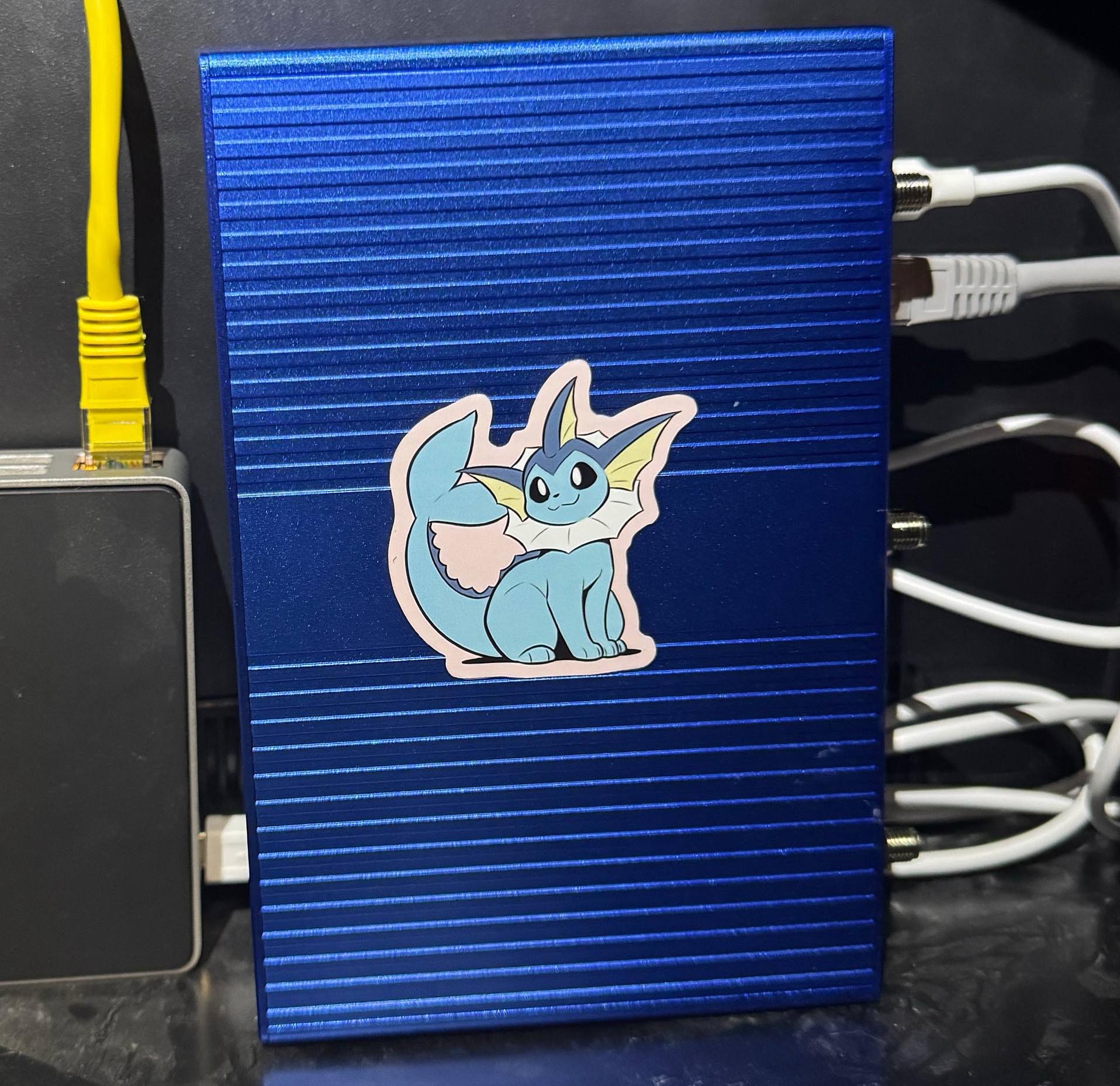
WireGuard went on a second box, as a host on the LAN: no DHCP, no NAT, radios off. One address on the home subnet, a private range that exists only inside the tunnel (the overlay), one UDP port forwarded from the WAN, one static route back. Full tunnel: all of the client’s traffic, not just packets for the house. Phones on cellular, laptops on cafe Wi-Fi, the LAN, DNS through the existing Pi-hole. Reboot gate-lodge and the Asus keeps serving Wi-Fi.
If you want that, keep this tab open. The paste is Release Image to a Tunnel: first boot through a working client. Everything between here and there is why that paste is picky. Skip it if you want; come back when a command looks too careful.
The Overlay Lives Behind .253#


The public surface is one UDP port, forwarded to the VPN box. Everything inside the tunnel is private addressing. Return traffic for the overlay is a LAN static route on the edge router: 192.168.101.0/24 lives behind 192.168.1.253.
That route only works if overlay packets still look like overlay packets when they hit the LAN. Masquerade on the VPN box would rewrite them to the box’s home address, and the route would have nothing to match. The handshake can still go green while the house stays unreachable. Masquerade is the bug that looks like a fix.
Banana Pi Builds It, OpenWrt Owns It#
The board is an OpenWrt One: MediaTek Filogic 820, 2.5G WAN, 1G LAN, Wi-Fi 6 we never turned on, USB-C serial on the front. Two flash chips: NAND holds the live OS, NOR holds recovery. Banana Pi manufactures and sells it; the OpenWrt project designed it, and a slice of each sale goes to the Software Freedom Conservancy earmarked for OpenWrt.
Nested, Then a Host#
Stock OpenWrt wants to be a router. Fresh out of the box the OpenWrt One serves 192.168.1.1 on the 1G jack, DHCP on, WAN masquerading. Plug that jack into a house that already uses 192.168.1.0/24 and you get a small religious war over who is .1.
We let it be a router for a day, on purpose, on a side net. Home on eth0 (the 2.5G jack) via DHCP from the Asus. A tiny LAN on eth1 (br-lan) at 192.168.67.1/24. OpenWrt calls the home-facing jack wan even though, from the internet’s point of view, it is just another LAN host; punching SSH from the wan zone is punching it from the house, not from the world. A spare laptop on the 1G jack if that punch failed. Radios off. Nested NAT on, because a nested router NATs; that masquerade is temporary and it comes off later.


Then we converted it to a host. Static 192.168.1.253/24 on eth0, default via 192.168.1.1, DNS to Pi-hole. network.lan proto none. DHCP off. The lan → wan forward deleted. WAN masquerade off. The 1G jack stays dark: no DHCP, no management net. If the OS dies, recovery is USB-C serial or the OpenWrt One’s factory/NOR path on that jack.
Skip the nested day and you can still get there from serial, or from a laptop on the 1G jack at the factory address before you join the house. Nested is the version with a door if you brick the home-facing side. Both paths are in the paste below.
Dropbear is OpenWrt’s SSH server. It reads /etc/dropbear/authorized_keys. A modern ssh-copy-id will cheerfully write ~/.ssh/authorized_keys and you will wonder why the key you just installed does nothing. Copy the line into the Dropbear file. I lost a round to that.
Packages.gz Was 404#
The image on the box was a nightly SNAPSHOT: kernel 6.6.57, identified as an OpenWrt One, no kmod-wireguard, no tun. Current snapshot opkg Packages.gz was HTTP 404. Release kernel modules are built against other kernels. --force would have been a way to install a module that could not load.
We did not force it. Keep-settings sysupgrade to official 24.10.8 (r29233-443ec4032a, kernel 6.6.144), image openwrt-24.10.8-mediatek-filogic-openwrt_one-squashfs-sysupgrade.itb. No factory reflash, no vendor image, no --force. Hostname, .253, Dropbear keys, and the WAN default all survived. Then:
opkg update
opkg install kmod-wireguard wireguard-tools luci-proto-wireguard
kmod-wireguard came in as 6.6.144-r1. After the first install, ifup wg0 left netifd (OpenWrt’s network daemon) on proto none / NO_DEVICE. The proto script was new to the running daemon. /etc/init.d/network restart attached it. Later peer edits: ifup wg0 is enough.
Flash a release. Snapshots are for people who enjoy 404s on the day they need a tunnel.
192.168.101 Was Empty#
Overlay is 192.168.101.0/24. Home stays 192.168.1.0/24.
Do not pick 10.8.0.0/24 for the overlay, even after OpenVPN is gone: it is still the default on networks you will join. A WSL virtual net on a PC that might itself be a client is the same kind of collision. We briefly tried 10.72.1.0/24 and dropped it because 72.0.0.0/8 is public and a tired eye can lose the 10.. Pick an overlay that is free on your LAN, on your VPN clients’ other nets, and in RFC 1918.
Cut Over, Then Listen#
We dumped the old OpenVPN pool, disabled OpenVPN, then stood up WireGuard. Two inbound VPNs is two stories about which prefix a client has today. If you still need the old VPN, invert that: stand up WireGuard first, prove a client, then disable OpenVPN. We were done with OpenVPN. You might not be.
On the Asus: a LAN static route for the overlay via 192.168.1.253, metric left empty, interface LAN. UDP forward of the listen port to 192.168.1.253. OpenVPN off. Reboot the Asus once, because consumer firmware likes to be asked twice. The edge still does NAT, Wi-Fi, and DHCP. It gets a route and a hole. Any edge that can do a LAN static route and a UDP port forward will do; Merlin is just what this house has.
On the VPN box, wg0 is 192.168.101.1/24, proto wireguard, listen on that same UDP port. Keys generated on the box, under /etc/wireguard/. Do not copy private keys into a repository, a chat, or a blog post. Firewall zone vpn on wg0, masquerade 0 on both wan and vpn. Forward vpn → wan and wan → vpn. A rule Allow-WG: UDP dest that port, source zone wan (the house, not the internet).
LuCI (OpenWrt’s web UI) listened the whole time. WAN input is REJECT, and SSH was the only thing already punched, so I added Allow-LuCI-from-home (TCP 80/443 from wan) after converting to a host. The zone was the lock. The Asus is what faces the world; it forwards one UDP port and does not forward 22, 80, 443, or 53.
Masquerade Eats the Return Path#
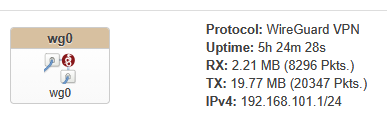
A green handshake means the UDP hole works. It does not mean the inner packets have a way home.
The wrong extra click is WAN masq=1 “so the internet works.” That SNATs overlay sources onto 192.168.1.253. The Asus then sees house-LAN traffic from the VPN box’s own address. The overlay route never matches. LAN replies go missing, or they go to the box and stop. You will stare at wg show and a pile of RX/TX and a Pi-hole that never saw the query.
Leave srcnat empty. Confirm it: fw4 print (OpenWrt’s firewall compiler) should not masquerade 192.168.101.0/24 onto the home IP. From a machine already on the house LAN, ping 192.168.101.1. Ours came back in one hop through the Asus. That ping is the overlay-return probe. If it fails, fix the edge route and the box’s default via 192.168.1.1 before you add a client.


Do not test “am I on the VPN” by loading the edge router’s admin UI. Pick Pi-hole, or another LAN host, or a public-IP check that should show the house WAN. The edge’s own web server is a special case and a time sink.
A Peer With No Address Never Loads#
I watched LuCI Generate configuration without Save & Apply leave zero peers on a box whose UI claimed otherwise. WireGuard has no DHCP. Each device is a peer with its own keypair and a /32 on the overlay. .1 is the box. The rest you assign. One address per device; a phone and a laptop are two peers even if they share a human.
Give the house WAN a DNS name. That name belongs in the client file as Endpoint, not as a peer on the server. I added it as a LuCI peer anyway. Generate configuration then used the LAN IP as the endpoint, put 192.168.101.0/24 in Address, and copied the listen port onto the client. Delete that row. Peers are devices; generate keys on a client row. Endpoint host and port on the server stay empty: the phone’s cell IP changes, the server only listens.
LuCI labels peer Allowed IPs optional. Leave them blank and wg never loads the peer; wg show will not list it. Set 192.168.101.x/32 and turn Route Allowed IPs on. Then Save & Apply. Generate configuration after that.
On the client, AllowedIPs = 0.0.0.0/0, ::/0 is the full tunnel. Keepalive 25 for phones behind NAT. DNS is Pi-hole at 192.168.1.254. Overlay addressing on wg0 in this house is IPv4-only; ::/0 is leak prevention for the client’s other stacks, not an invitation to put IPv6 on the home LAN. We won’t build NAT66 until a client actually stalls on AAAA.
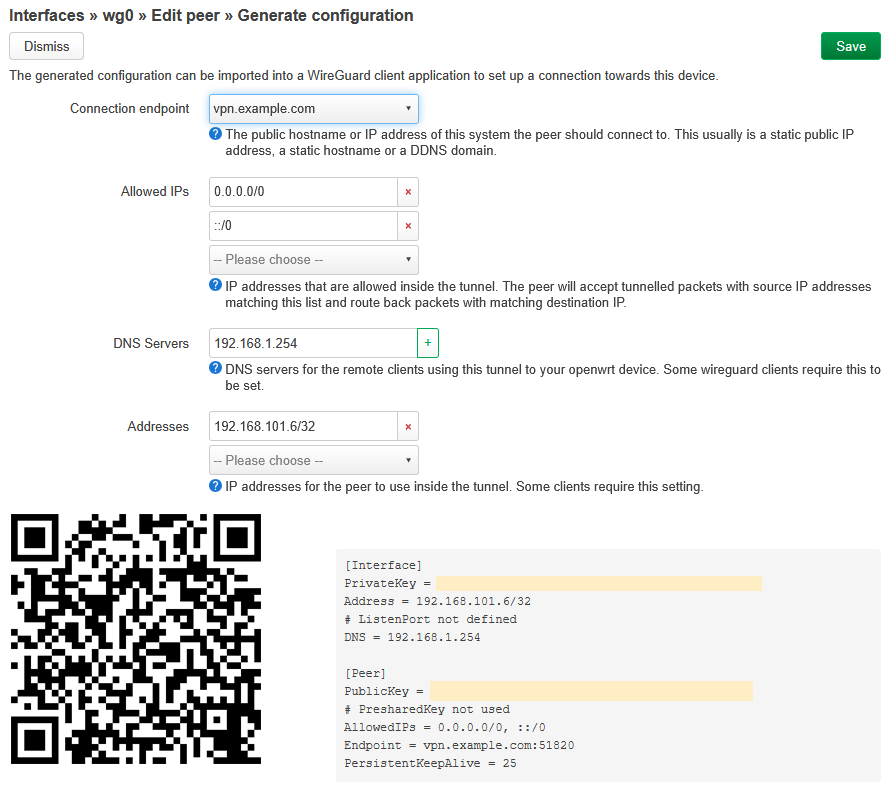
Official WireGuard apps on Windows, Mac, Linux, and iPhone. Import the same .conf.
Pi-hole Thinks Overlay Is Foreign#
Handshake green, no websites: if a raw LAN IP loads and a name does not, the resolver never answered. Overlay packets arrive on the Pi-hole’s ethernet from 192.168.101.0/24, and Pi-hole’s default listen policy treats that prefix as foreign even though it shares a NIC with 192.168.1.0/24.
Allow 192.168.101.0/24 (Pi-hole v6: Settings → DNS, or pihole.toml listen mode). Prefer an explicit CIDR. If the only control that works is “Permit all origins,” it is acceptable only while the edge does not forward TCP/UDP 53 from the WAN to the Pi-hole. Do not make a public resolver as a side effect of a VPN.
Point overlay DNS at Pi-hole, not at the VPN box, not at the Asus. If raw IPs fail too, it is routing, not DNS. Do not “fix” either one with masq=1. If you do not run Pi-hole, point DNS in the client file at whatever resolver you want inside the tunnel, and ignore this section.
It Lives in the Cabinet Now#
Two phones reached the LAN on foreign Wi-Fi and on cellular far from the house. A laptop that isn’t ours did too. That is the exam: away, Wi-Fi off or someone else’s, Pi-hole in the browser, a home address that answers. Then we put the box in the network cabinet and the 1G jack stayed dark. SSH to .253 still worked.
Release Image to a Tunnel#
This is the tab. Numbers match this house. Change the prefixes if yours collide. Commands are UCI on OpenWrt 24.10; check uci show firewall before you delete anything by numeric index.
What you need#
- An existing home router you want to keep (Wi-Fi, DHCP, NAT). Ours is an Asus with Merlin. Any edge that can add a LAN static route and forward one UDP port will do.
- An OpenWrt box. Two ethernet jacks make the nested-join path easy (on the OpenWrt One: 2.5G faces the house, 1G is the temporary side net). One jack plus USB-C serial also works.
- Optional: Pi-hole on the home LAN.
- A UDP port you will forward from the WAN. The snippets use
51820(WireGuard’s common default). Pick yours and use it in all four places: box listen port, edge forward, clientEndpoint,Allow-WG. - A DNS name pointed at the house WAN, written
vpn.example.combelow. A raw public IP works until it changes.
Addresses (this house)#
- Home LAN
192.168.1.0/24, edge192.168.1.1 - Pi-hole
192.168.1.254(do not forward WAN 53 to it) - VPN box
192.168.1.253on the 2.5G jack, hostnamegate-lodge - Overlay
192.168.101.0/24, server192.168.101.1/24onwg0 - Nested side net, temporary:
192.168.67.1/24on the 1G jack
Do not pick 10.8.0.0/24 for the overlay, even if you just disabled OpenVPN.
Release image: Firmware Selector, openwrt_one squashfs-sysupgrade. Prefer a release over a SNAPSHOT.
First boot, nested#
Do not plug the OpenWrt One’s 1G jack into a house that already uses 192.168.1.0/24. Connect a laptop to that 1G jack instead. Factory is http://192.168.1.1, user root, empty password. Set a password before the box can see the house.
Readdress the side net, turn the radios off, and punch SSH from wan (the jack that will face the house):
uci set system.@system[0].hostname='gate-lodge'
uci set network.lan.ipaddr='192.168.67.1'
uci set network.lan.netmask='255.255.255.0'

uci set wireless.radio0.disabled='1'
uci set wireless.radio1.disabled='1'

uci set firewall.allow_ssh=rule
uci set firewall.allow_ssh.name='Allow-SSH-from-home'
uci set firewall.allow_ssh.src='wan'
uci set firewall.allow_ssh.proto='tcp'
uci set firewall.allow_ssh.dest_port='22'
uci set firewall.allow_ssh.target='ACCEPT'

uci commit
reload_config
wifi down
The laptop, if it still has a lease, is now on 192.168.67.0/24. Plug the 2.5G jack into the house. On the edge router, find the new DHCP lease. SSH to that address as root. Put your pubkey in /etc/dropbear/authorized_keys, not in ~/.ssh/authorized_keys.
Skip this whole nested day if you would rather use the USB-C serial console and set 192.168.1.253 on eth0 directly. Same host-conversion block either way.
Convert to host#
Retire the nested LAN. The box becomes a single address on the house:
uci set network.wan.proto='static'
uci set network.wan.device='eth0'
uci set network.wan.ipaddr='192.168.1.253'
uci set network.wan.netmask='255.255.255.0'
uci set network.wan.gateway='192.168.1.1'
uci add_list network.wan.dns='192.168.1.254'

uci set network.lan.proto='none'
uci -q delete network.lan.ipaddr
uci -q delete network.lan.netmask

uci set dhcp.lan.ignore='1'
uci set dhcp.lan.dhcpv4='disabled'
uci set dhcp.lan.dhcpv6='disabled'
uci set dhcp.lan.ra='disabled'

uci set firewall.@zone[1].masq='0'
uci -q delete firewall.@forwarding[0]   # the stock lan → wan; check the index first

uci commit
reload_config
uci show firewall before you delete a forwarding by index. On a stock OpenWrt One, wan is often zone index 1; do not assume that if you have already added zones. After this, SSH to 192.168.1.253. The 1G jack has no IPv4. Leave it that way.
If LuCI from home is useful:
uci set firewall.allow_luci=rule
uci set firewall.allow_luci.name='Allow-LuCI-from-home'
uci set firewall.allow_luci.src='wan'
uci set firewall.allow_luci.proto='tcp'
uci add_list firewall.allow_luci.dest_port='80'
uci add_list firewall.allow_luci.dest_port='443'
uci set firewall.allow_luci.target='ACCEPT'
uci commit firewall
fw4 reload
Do not forward 80 or 443 from the internet.
Release, then WireGuard#
If opkg install kmod-wireguard cannot find a package, stop. Flash the 24.10.8 squashfs-sysupgrade.itb rather than --force a module. Usual reasons are a SNAPSHOT whose feeds 404, or a kernel that does not match the release kmods; there are others. Copy the image to /tmp on the box and:
sysupgrade -v /tmp/openwrt-24.10.8-mediatek-filogic-openwrt_one-squashfs-sysupgrade.itb
No --force. No factory image. Settings should keep. Then:
opkg update
opkg install kmod-wireguard wireguard-tools luci-proto-wireguard

mkdir -p /etc/wireguard
umask 077
wg genkey | tee /etc/wireguard/server.key | wg pubkey > /etc/wireguard/server.pub

uci set network.wg0=interface
uci set network.wg0.proto='wireguard'
uci set network.wg0.private_key="$(cat /etc/wireguard/server.key)"
uci add_list network.wg0.addresses='192.168.101.1/24'
uci set network.wg0.listen_port='51820'

uci set firewall.vpn=zone
uci set firewall.vpn.name='vpn'
uci set firewall.vpn.input='ACCEPT'
uci set firewall.vpn.output='ACCEPT'
uci set firewall.vpn.forward='REJECT'
uci set firewall.vpn.masq='0'
uci add_list firewall.vpn.network='wg0'

uci set firewall.wg_fwd_out=forwarding
uci set firewall.wg_fwd_out.src='vpn'
uci set firewall.wg_fwd_out.dest='wan'

uci set firewall.wg_fwd_in=forwarding
uci set firewall.wg_fwd_in.src='wan'
uci set firewall.wg_fwd_in.dest='vpn'

uci set firewall.allow_wg=rule
uci set firewall.allow_wg.name='Allow-WG'
uci set firewall.allow_wg.src='wan'
uci set firewall.allow_wg.proto='udp'
uci set firewall.allow_wg.dest_port='51820'
uci set firewall.allow_wg.target='ACCEPT'

uci commit
/etc/init.d/network restart
Confirm: wg show listens. WAN masquerade is still 0. fw4 print has no srcnat of the overlay.
Edge router#
LAN static route for the overlay. Metric left empty, interface LAN.
| Network/Host IP | Netmask | Gateway | Interface |
|---|---|---|---|
| 192.168.101.0/24 | 255.255.255.0 | 192.168.1.253 | LAN |
Forward UDP 51820 to 192.168.1.253:51820. Disable the old VPN after a client works, unless you are also done with it and willing to cut first. Do not forward 22, 53, 80, or 443 from the internet.
From a house machine, ping 192.168.101.1. That is the overlay-return probe. If it fails, do not add a client yet.
One client#
On a trusted machine with wg:
umask 077
wg genkey | tee client.key | wg pubkey > client.pub
On the box, public key only, next free /32 (.1 is the box; do not reuse a live one):
uci add network wireguard_wg0
uci set network.@wireguard_wg0[-1].description='example-phone'
uci set network.@wireguard_wg0[-1].public_key='PASTE_CLIENT_PUBKEY'
uci set network.@wireguard_wg0[-1].allowed_ips='192.168.101.2/32'
uci set network.@wireguard_wg0[-1].route_allowed_ips='1'
uci set network.@wireguard_wg0[-1].persistent_keepalive='25'
uci commit network
ifup wg0
Client file. Private key stays on the device. PublicKey is the server pubkey from /etc/wireguard/server.pub. vpn.example.com is Endpoint here, not a peer on the box.
[Interface]
PrivateKey = CLIENT_PRIVATE_KEY
Address = 192.168.101.2/32
DNS = 192.168.1.254

[Peer]
PublicKey = SERVER_PUBLIC_KEY
Endpoint = vpn.example.com:51820
AllowedIPs = 0.0.0.0/0, ::/0
PersistentKeepalive = 25
wg show on the box must list that public key. If it does not, Allowed IPs were empty or you skipped Save & Apply. Import the file in the official WireGuard app, connect from cellular, load http://192.168.1.254 (or some other home address, if you have no Pi-hole). Then delete client.key from the trusted machine.
Pi-hole#
Allow queries from 192.168.101.0/24. Keep WAN 53 closed.
Restart the Box, Not the House#
Clients connect. The tunnel is not sharing the Asus CPU with Wi-Fi. network restart on gate-lodge does not bounce the LAN. Keep the edge, put WireGuard on a host, and do not masquerade the people you just let in.
Sitting down on a cafe that already uses 192.168.1.0/24 is the exam the overlay does not cover.