The Incidental Router
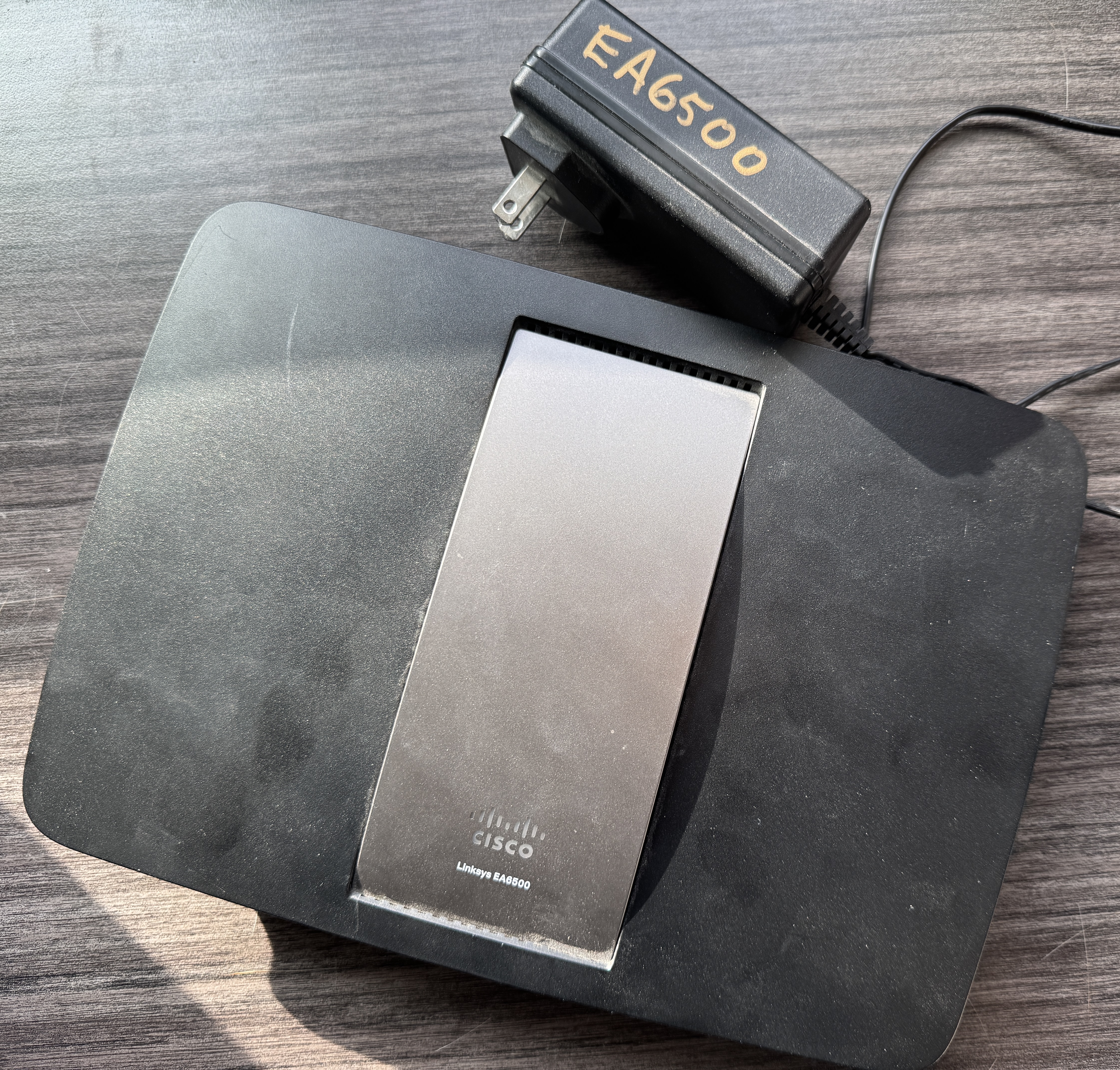
A while back we isolated IoT devices onto their own subnet using a spare router running DD-WRT. It worked: the petcare hub stopped sulking, the IoT segment couldn’t see the home LAN, and PiHole logged every device by name.
Then that router’s wifi radio started going out. Mysteriously, intermittently, the way aging consumer hardware does once it has decided its work here is done. So we dug a newer, better box out of the stack of old routers every networking person apparently accumulates, and put OpenWrt on it instead of reaching for DD-WRT the umpteenth time.
I expected a chore: re-create the same thing in a new dialect. What it turned into was a clean experiment. Building the same network twice on two unrelated stacks is the only honest way to find out which parts were ever “the network” and which were just “the router.”
Most of what I’d written down the first time was the router. Here’s the split.
The Spec Driving the Design#
Here’s the whole thing the network was supposed to do, lifted straight from my first build:
- IoT devices on their own subnet, isolated from the home LAN
- Home LAN can reach IoT (for management); IoT cannot initiate back
- IoT uses the existing PiHole for DNS
- Individual IoT clients visible in PiHole, not hidden behind one NAT’d IP
- Hostnames, not bare addresses, in the query log
Five requirements. Every one survived the platform swap completely intact, because not one of them mentions a router. It’s a description of behavior a network should have.
Here’s everything else from that first writeup - the parts that didn’t survive:
- VLAN separation set up through DD-WRT’s switch-configuration table
- A static WAN address poked in through
Setup → Basic Setup - A DHCP pool sized in the web UI (and the off-by-overflow that broke it the first time)
-
nvram get wan_ifaceto find the WAN interface by name - Firewall rules pasted into
Administration → Commandsand saved as a script - The
iptables -I FORWARD/-t nat POSTROUTINGrule syntax itself
Six things, and not one survived as written - every line is mechanism, true only of that router, that firmware, that menu.
One piece did survive nearly intact, and it maps the boundary exactly: the dnsmasq configuration. dnsmasq is the same daemon on both platforms, so its directives ported almost verbatim, sliding from DD-WRT’s Additional Options box into UCI options. What carried over was the engine both stacks happen to run; what evaporated was the router built around it. The intent came across; the implementation did not. Five lines of network, a whole router’s worth of router.
The Interface is a Lossy Frontend#
I came in braced for clicking. Years of DD-WRT and consumer firmware had me believing a router is its web UI, and I was worn down poking DHCP reservations into LuCI’s little pill-shaped form fields. At one low point I caught myself wondering whether the GUI tedium was reason enough to go back to what I knew.
I had it exactly inverted. OpenWrt’s web UI is a lossy frontend over flat text files. The pills are just LuCI rendering /etc/config/firewall and /etc/config/dhcp and writing them back. SSH in, edit the source of truth with nano, paste a stack of stanzas, reload. A static DHCP lease is a four-line config host block, not a sequence of clicks. The whole config is declarative UCI text you can put under version control and diff like anything else.
DD-WRT makes the web UI plus the nvram blob the authoritative layer; the text is downstream of the clicking. OpenWrt makes the text authoritative and the clicking downstream. I had the relationship backwards, and the thing I dreaded turned out to be the thing I’d wanted the whole time. Forget feature checklists; the real question is where the truth lives, and OpenWrt’s answer is the one that matches how I already think.
The licensing fit was a freebie on top. DD-WRT’s contested, opaque release ethos - a compiled, locked-down web UI to stop rebranding, source drops that lag the binaries - was always a poor match for the way I’d rather work, where the source is open and nothing is hidden. OpenWrt being GPL-licensed and developed in the open (and literally the firmware this Linksys lineage was built for) made it the consistent call before a single command got typed. But the config-as-truth model is the part that actually changed how the rebuild felt.
Where Intent and Mechanism Come Apart#
DD-WRT and OpenWrt don’t even share a firewall engine. The old box spoke iptables; the new one speaks fw4, which compiles zone-based UCI rules down to nftables. On DD-WRT I’d pasted iptables commands into a web text box that ran them; on OpenWrt there is no iptables at all to paste into. So a literal port was never on the table. The rules had to be re-expressed as intent and recompiled.
That sounds mechanical. It hid the sharpest mistake of the whole rebuild.
On this box, the home LAN lives on the WAN side. The IoT router’s uplink plugs into the home network, so from the router’s point of view the home LAN and the internet are both “out the WAN port.” The idiomatic OpenWrt move for “let IoT reach the internet” is a blanket zone forwarding from lan to wan. Drop that in and you get a config that looks right, reviews clean, and silently hands every home device straight back to the IoT segment - because the home LAN is reached through wan. The isolation evaporates without a single error message.
My original iptables rules dodged this by ordering: allow PiHole specifically, reject the home subnet, then allow the rest as internet. That ordering wasn’t decoration. It was the isolation, and any faithful-looking translation that flattened it into one zone-forward would have quietly betrayed the one property the whole project exists to guarantee.
This is the network and the router made concrete. The intent (“IoT reaches the internet but not my LAN”) is platform-independent and obvious. The mechanism that preserves it depends entirely on the union of tech stack and topology that no syntax-level port would ever surface. You only catch it by re-deriving the behavior from scratch and asking, on the new stack, “what does this rule actually expose?”
The Box Outranked Me#
Here’s the uncomfortable part.
On intent, I was good. I caught that WAN-side topology trap before it shipped and refused to write the naive zone forwarding. I understood why the masquerade exemption mattered for per-client PiHole visibility. I knew the shape of the problem cold.
On mechanism - the version-specific particulars - I was wrong, confidently, over and over. I insisted the firewall had an input_wan chain; fw4 print showed none existed. I filed a NAT exemption against the source zone when fw4 keys its srcnat chains by egress; the srcnat_wan chain stayed empty until the output proved it. I swore listen_address scoped only DNS, and the DHCP leases died, because on OpenWrt one daemon does both. And I burned real time on a udhcpc: no lease line scrolling up the console, certain my own changes had caused it and that it needed chasing - wrong on both counts. It was there before I touched anything, survived every rollback, and is scrolling past to this day; I never traced it, and in the end I stopped trying. Not my monkey, not my circus: a ghost that shipped with the box, mistaken for one I’d conjured.
None of that was ignorance of networking. It was the gap between what I knew about OpenWrt in general and what was true of this version, on this router, at this moment. fw4 had replaced fw3; chain layouts had changed; opkg had become apk. I’d been right about these things long enough to stop checking whether I still was - which is the exact trap every seasoned sysadmin eventually walks into. You’re confident because you’ve been correct for years, so you don’t verify, because verifying hasn’t been necessary for years, and then one day the ground has moved and you’re the last to notice. I hit a compressed version of it: the kind of blindsiding that normally takes a human a decade of being right to earn.
What corrected me, every single time, wasn’t a sharper argument. It was output from the actual box - fw4 print, logread, ip -6 addr - the running system contradicting me to my face. That was the one authority that outranked my own confidence, and it kept winning. My fluency was the cheap part. The expensive part was the ground truth, and the only way to get it was to stop theorizing and go read what the box was actually doing.
The general version, stated plainly: my grasp of durable structure is strong, and my memory of version-specific mechanism rots - firmware support, default chain names, which release swapped one package manager for another. Those change underneath training data, and I am structurally the last to find out. The fix is not a better memory. It is the humility to check against the live system before I trust myself.
What the New Stack Surfaced#
A few things only came to light because the rebuild dragged them out - things the first, IPv4-only writeup never had to face:
A one-character typo can take down everything.
An unquoted multi-port value (option dest_port 443 80 instead of '443 80') didn’t fail locally. It handed fw4 a broken config, which emitted a zone-less stub, which dropped all traffic including LAN admin. A DNS-port typo cosplayed as a total firewall collapse. UCI is unforgiving about partial parse failures; quote your lists, or better, give each value its own list line. None of the stock UCI entries had a space-separated value, and none of them used any kind of quotation marks. To me, unfamiliar with the solution space and syntax… well, it seemed like quotes weren’t necessary! mea culpa.
Rebind protection eats internal names - and here, nothing was getting eaten.
The fingerprint showed up fast: public names resolved, internal ones came back empty. That is rebind_protection, OpenWrt’s default --stop-dns-rebind, which discards any upstream answer holding a private (RFC1918) address - exactly what an internal name resolves to. I diagnosed it cold and reached for the off-switch: turn it off on this box, or whitelist the trusted zones.
Then I noticed I had already routed around my own fix. IoT clients are handed PiHole as their resolver over DHCP option 6, so they query PiHole directly and never send a forward lookup through this router’s dnsmasq - internal names resolve fine for them, because PiHole answers and the router never gets a chance to drop anything. Rebind protection only filters answers the router itself forwards; it leaves locally served names alone, like the reverse zone this box hands back from its own lease table. The one path where rebind bites - the router resolving an internal name on a client’s behalf - is a path nothing here takes.
So I left it on. It is still on, and it still bites: ask the router itself for an internal name and you get an empty answer, with possible DNS-rebind attack detected waiting in logread. None of it reaches a client. The diagnosis was textbook and correct, aimed at a problem the topology had already deleted - the chain-name lesson one rung deeper: knowing a mechanism cold is a different thing from knowing whether it sits on the path that actually runs.
IPv6 is a back door the old setup never had.
The original rules were IPv4 to the bone. The new box runs DHCPv6 and router advertisements by default, and the isolation rules match 192.168.1.0/24 - a v4 literal that v6 traffic sails straight around. The same network, on a more capable stack, grew an unguarded path nobody had thought to look for.
The Recipe Was Wrong the Same Way I Was#
First I made the hole bite. I put a laptop on the IoT wifi with IPv4 switched off; it came up with a global IPv6 address, resolved an internal name through PiHole, and loaded a home-LAN device’s webserver over v6. The isolation rules never saw the request. They are written in v4 and nothing else, while v6 carries its own address space and its own routing table - separate plumbing they say nothing about.
Two honest fixes existed. Mirror the v4 isolation in v6 - re-derive the ordered allow-then-deny against the home segment’s v6 range - or stop handing the IoT segment any v6 at all. Nothing on that segment speaks v6 today, so the second is the smaller correct one. The day an IPv6-only device shows up that calculus flips, and the v6 rules stop being optional. Until then: off, and easy to switch back on.
“Disable IPv6 on OpenWrt” has a canonical recipe, copied across blogs and gists from one 2021 original. Most of its first block sets option ipv6 '0' on the lan and wan interfaces. On a proto static or proto dhcp interface that option is a no-op - netifd stores it and ignores it. I know because I set both, reloaded, and the bridge kept its global address as if I’d typed nothing. The dead lines read exactly as authoritative as the live ones.
What actually closed it was narrower. Setting disabled '1' on the wan6 interface killed the DHCPv6 client that pulls a prefix from upstream; no client, no prefix, nothing to hand down. Setting ra 'disabled' and dhcpv6 'disabled' on the lan turned off router advertisements and the DHCPv6 server, so a client gets an address by neither SLAAC nor lease. That last pair is what re-stranded the test laptop: back on the v6-only wifi, it spins forever and never acquires an address.
One address outlived all of it - the bridge’s own ULA, the fd...::1 the router assigns itself. The recipe trusts delegate '0' to drop the LAN prefix, and that flag does govern an upstream-delegated one, but the bridge’s ULA comes from ip6assign drawing on the auto-generated ula_prefix, which delegation never touches. I watched the ULA survive delegate '0'; deleting ip6assign is what finally dropped it. The ula_prefix itself I left in place on purpose - the recipe deletes it, but deletion just makes OpenWrt mint a fresh random prefix on the next enable, desyncing any rule pinned to the old one. Off, not bulldozed.
Two more places the recipe would have bitten. It ends every block with /etc/init.d/network restart; I was working over an SSH session riding the static IPv4 WAN, and a restart bounces that. network reload does the same reconfigure and leaves the session up. And reload governs the next bring-up, not the address already live - which is why the bridge wore its stale ULA until I removed it by hand with ip -6 addr del. The committed config was correct a beat before the running state caught up.
One genuine landmine the recipe never mentions: odhcpd, the daemon behind RA and DHCPv6, is also OpenWrt’s IPv4 DHCP server when dhcp.odhcpd.maindhcp is 1. Disable it on such a box and you strand every v4 client on the segment. Here maindhcp is 0 and dnsmasq owns the v4 leases, so stopping odhcpd was free defense-in-depth instead of a self-inflicted outage - a fact I had to read off the config first, not assume.
Then I asked the box, the way this whole rebuild had trained me to. ip -6 addr showed only fe80:: link-local on every interface, not one global address. ip -6 route had no path toward the home segment. The laptop that had pulled up a home page minutes earlier couldn’t reach it, then couldn’t even rejoin the v6-only network. The same authority that kept correcting me about chain names had just graded the canonical recipe and failed half of it.
The Honest Test#
The first post looked like a recipe: here are the clicks, here’s the config, reproduce it. Useful, and worth having. But a recipe can’t tell you which of its steps were essential and which were accidents of the kitchen it was cooked in. Only re-cooking somewhere else does that.
Rebuilding this network on OpenWrt cost a morning and showed that roughly five lines of it were ever real. The subnets, the one-way forwarding, the NAT exemption for DNS, the reverse-DNS chain, the per-client visibility - that’s the network, and it ported by being re-derived, not copied. The VLAN tables, the nvram incantations, the chain names, the exact rule syntax - that was the router, and it didn’t survive contact with a new one. The dying wifi radio did me a favor: it forced the experiment that tells the two apart.
If you have a setup you’re proud of and can’t quite tell how much of it is principle and how much is happenstance, the cheapest way to find out is to rebuild it somewhere it can’t carry its old habits along. What survives the move is what you actually built. The rest was just the router.
The Recipe#
The first build’s recipe was a tour of DD-WRT menus. This one is a short diff against a stock OpenWrt 25.12.2 install on the WRT1900ACS, which is the entire argument of the post. Each block shows only the lines we added or changed: a line present means “set it to this,” and a full-line # note flags a value changed from its stock default. Anything not shown is stock and untouched.
A note on comments: UCI tolerates full-line # comments - the stock files ship with them - but uci commit rewrites a file and drops them, and trailing inline comments aren’t parsed reliably, so treat the notes as annotations in this blog post - not part of what’s going to live in your config.
As before, this assumes
- Home/Private LAN
192.168.1.0/24- Gateway (router) LAN IP
192.168.1.1
- Gateway (router) LAN IP
- IoT/Untrusted LAN
10.1.101.0/24- Gateway LAN IP
10.1.101.1 - Gateway WAN IP (home LAN IP)
192.168.1.101
- Gateway LAN IP
Main Router (Asuswrt-Merlin): Static Route#
Unchanged from the first build. The home router still needs one route so it knows the IoT subnet lives behind the OpenWrt box’s WAN address:
| Network/Host IP | Netmask | Gateway | Interface |
|---|---|---|---|
| 10.1.101.0/24 | 255.255.255.0 | 192.168.1.101 | LAN |
IoT Router: /etc/config/network
#
config interface 'lan'
	# changed from 192.168.1.1/24
	list ipaddr '10.1.101.1/24'

config interface 'wan'
	# changed from proto 'dhcp'
	option proto 'static'
	option ipaddr '192.168.1.101'
	option netmask '255.255.255.0'
	option gateway '192.168.1.1'
	list dns '192.168.1.254'
That is the whole IPv4 delta: the IoT subnet on lan, and a static wan pointed at the home router for its gateway and at PiHole for DNS. The IPv6 changes (wan6 off, the bridge’s prefix dropped) live in “Turning IPv6 off” below.
IoT Router: /etc/config/dhcp
#
config dnsmasq
	# changed from 'lan'
	option domain 'iot.local'
	# added: answer the IoT reverse zone from the lease table, don't forward it upstream
	list server '/101.1.10.in-addr.arpa/'

config dhcp 'lan'
	# added: hand clients PiHole as their DNS (option 6 = DNS server)
	list dhcp_option '6,192.168.1.254'
list server '/101.1.10.in-addr.arpa/' is the OpenWrt analog of the first build’s local=/101.1.10.in-addr.arpa/: answer the reverse zone from the lease table instead of forwarding it upstream. The first build’s listen-address line is deliberately absent - on OpenWrt one dnsmasq serves both DNS and DHCP, and pinning listen-address took the DHCP half down with it.
IoT Router: /etc/config/firewall
#
This is where the five requirements actually live. The stock config defaults, the lan/wan zones, and the lan -> wan forwarding are untouched and omitted - though that stock blanket lan -> wan forwarding is the very trap the post is about, and it stays safe only because the IoT-Block-* rules below are evaluated ahead of it.
# add to the existing wan zone: exempt DNS to PiHole from masquerade
config zone
	option name		wan
	list   masq_dest	'!192.168.1.254'

# manage the IoT router from the home side (no stock rule opens these on wan)
config rule
	option name		Allow-SSH-WAN
	option src		wan
	option proto		tcp
	option dest_port	22
	option target		ACCEPT

config rule
	option name		Allow-LuCI-WAN
	option src		wan
	option proto		tcp
	# quote the list, or fw4 emits a zoneless stub that drops everything
	option dest_port	'443 80'
	option target		ACCEPT

# input to this router
config rule
	option name		IoT-Allow-PiHole-revDNS
	option src		wan
	option src_ip		192.168.1.254
	option proto		'tcp udp'
	option dest_port	53
	option target		ACCEPT

config rule
	option name		IoT-Block-DNS-to-Router
	option src		lan
	option proto		'tcp udp'
	option dest_port	53
	option target		REJECT

# forwarding: the order IS the isolation
config rule
	option name		IoT-Allow-HomeLAN-to-IoT
	option src		wan
	option src_ip		192.168.1.0/24
	option dest		lan
	option target		ACCEPT

config rule
	option name		IoT-Allow-to-PiHole-DNS
	option src		lan
	option dest		wan
	option dest_ip		192.168.1.254
	option proto		'tcp udp'
	option dest_port	53
	option target		ACCEPT

config rule
	option name		IoT-Block-to-HomeLAN
	option src		lan
	option dest		wan
	option dest_ip		192.168.1.0/24
	option target		REJECT

config rule
	option name		IoT-Allow-Internet
	option src		lan
	option dest		wan
	option target		ACCEPT

# preserve per-client source IPs on DNS to PiHole
config nat
	option name		IoT-No-Masq-PiHole-DNS
	option src		lan
	option proto		'tcp udp'
	option dest_ip		192.168.1.254
	option dest_port	53
	option target		ACCEPT
Home-to-IoT return traffic needs no rule of its own: fw4 accepts established and related flows by conntrack, so the single IoT-Allow-HomeLAN-to-IoT rule covers the management path both ways. The three lan -> wan rules have to stay in this order - allow DNS to PiHole, reject the rest of the home subnet, then allow everything else as internet.
IoT Router: Turning Off IPv6 on OpenWrt#
Check this is 0 first; if it’s 1, odhcpd is your DHCPv4 server - do not stop it:
uci get dhcp.odhcpd.maindhcp
If it’s 0, you’re good to go:
uci set network.wan6.disabled='1'      # kill the DHCPv6 uplink client
uci set dhcp.lan.ra='disabled'         # no router advertisements
uci set dhcp.lan.dhcpv6='disabled'     # no DHCPv6 server
uci set network.lan.delegate='0'       # refuse a delegated prefix
uci -q delete network.lan.ip6assign    # stop the bridge self-assigning a ULA
# keep network.globals.ula_prefix - deleting it just mints a new random one

uci commit network && uci commit dhcp
/etc/init.d/odhcpd stop && /etc/init.d/odhcpd disable
/etc/init.d/network reload             # reload, NOT restart if connected via SSH - keeps an SSH session on the v4 WAN alive

# reload won't deconfigure an address already up; drop the bridge's stale ULA by hand
ip -6 addr del fdXX:XXXX:XXXX::1/60 dev br-lan
Skip the option ipv6 '0' lines the popular recipe leads with on a static or dhcp interface. Confirm the result against the box: ip -6 addr should show only fe80:: link-local, and ip -6 route no path toward the home segment.
PiHole: /etc/dnsmasq.d/11-iot-subnet.conf
#
Unchanged from the first build. PiHole still forwards reverse lookups for IoT addresses back to the OpenWrt box so query logs show hostnames, not bare 10.1.101.x:
rev-server=10.1.101.0/24,192.168.1.101