Human Interface Devices
These are my chosen human interface devices. There are many like them, but these are mine.Jump to…
Keyboard#
SteelSeries Apex 7#
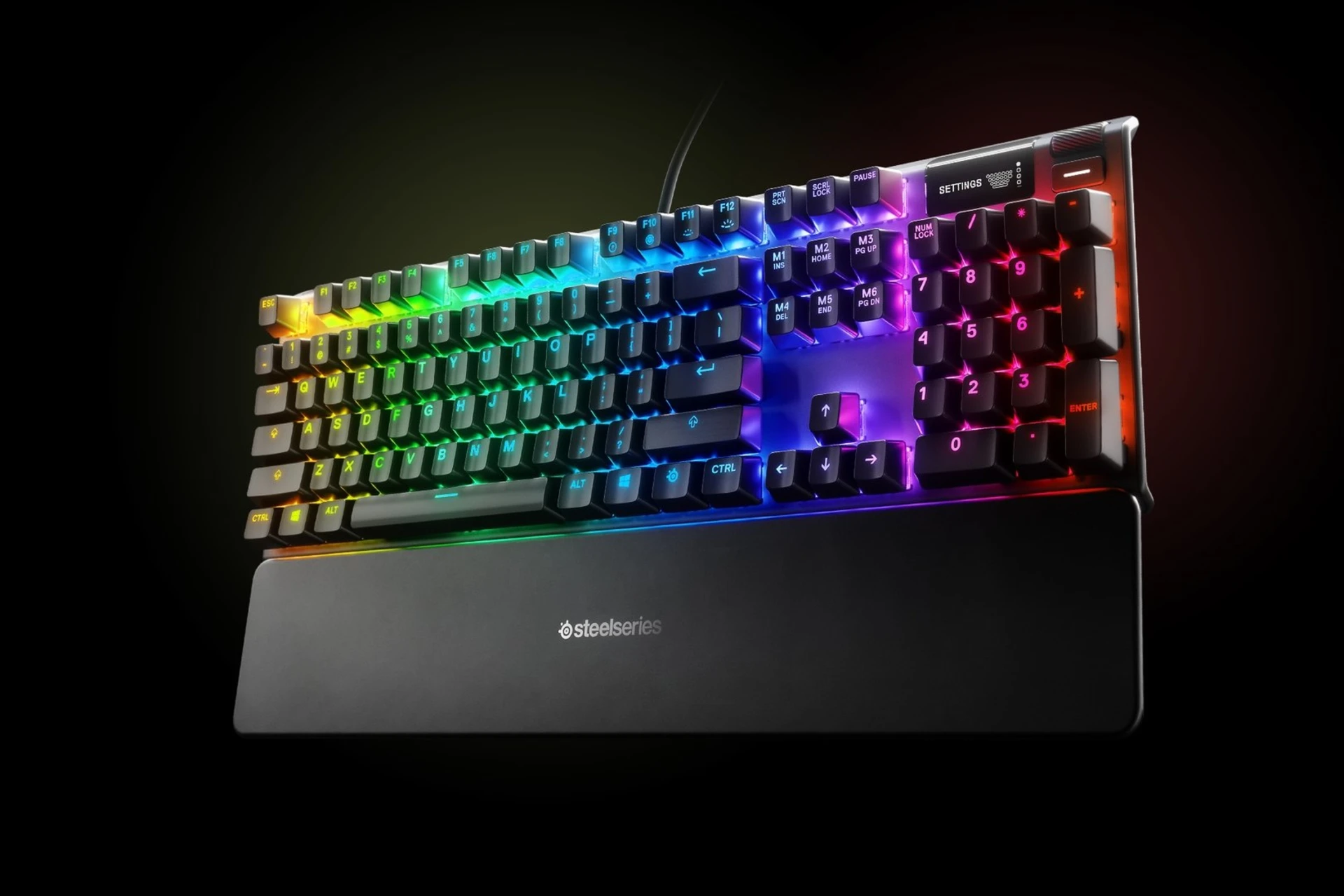
This is my preferred traditional keyboard.
- Mechanical switches
- Individually-customizable lights on each key
- Decent first-party vendor software
- Decent third-party software support
- On-board memory (lights, macros, etc, stay even when software isn’t running)
- Cute little black/white LED panel
- USB port w/ dedicated cable
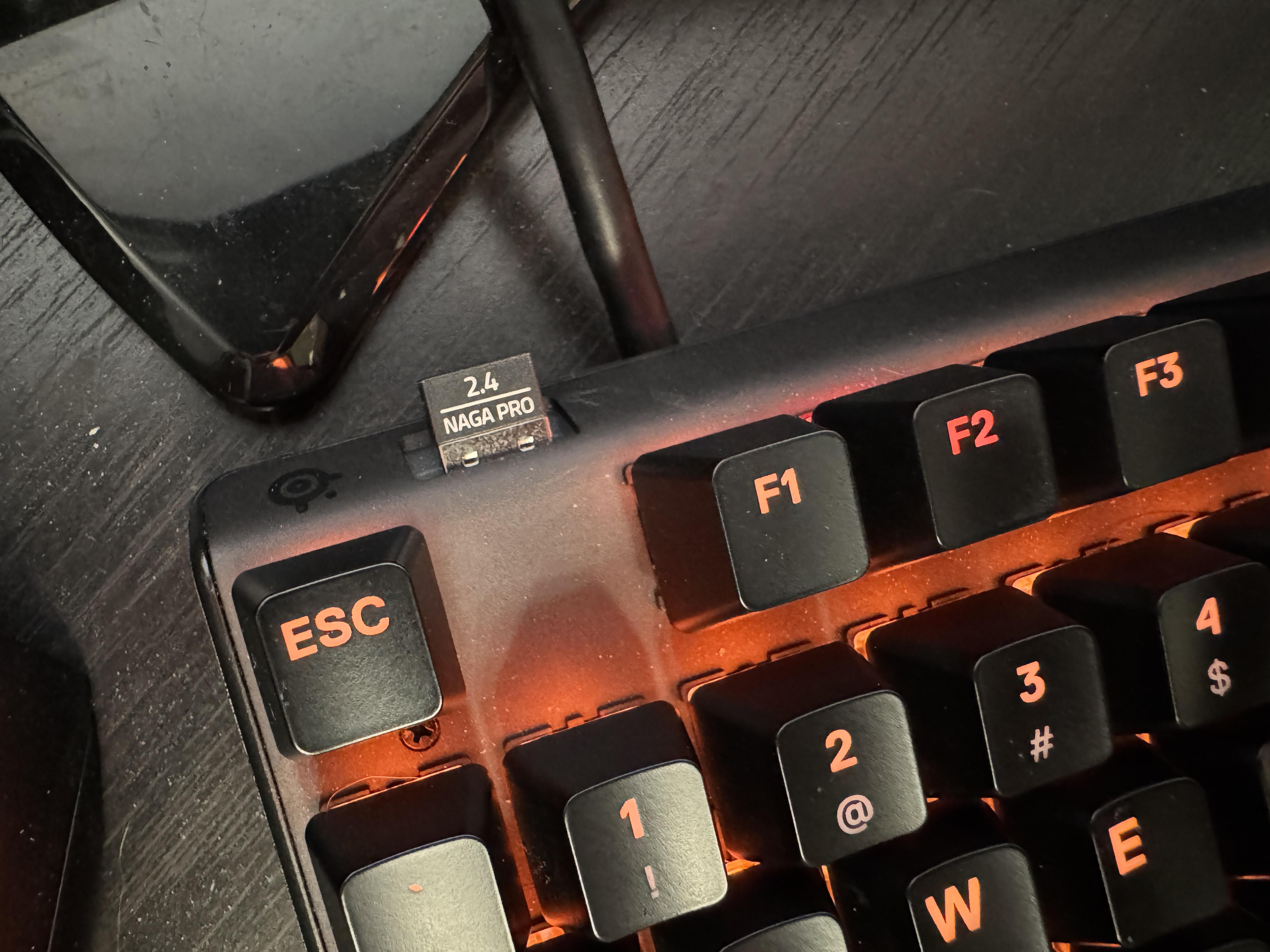
The keyboard has two USB connectors, and one of them is just a passthrough for this USB port. I use it to keep a mouse dongle nearby, but you might also enjoy plugging a wired mouse in there, or a hardware security key or something.
Kinesis Advantage 2#
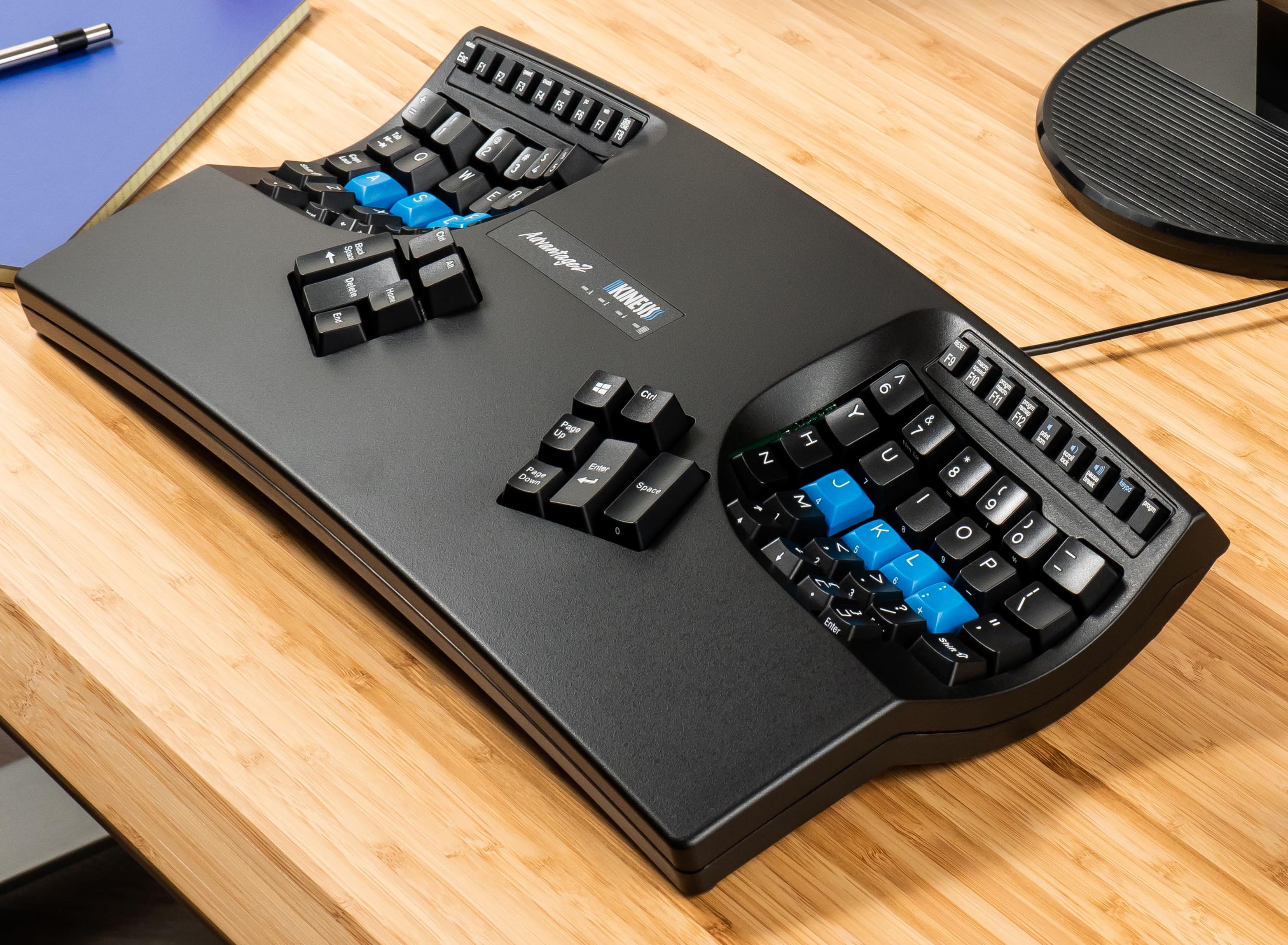
I saw a Maltron single-hand keyboard forever-ago, and was immediately convinced that the “hemisphere around the hand” design was good (despite never having tried it) and wanted to find a contemporary successor. But, they were expensive… and then I got hit with double repetitive-stress-injury in both wrists.
I found the Kinesis Advantage 2 as the modern hemispherical keyboard, gave it a try, and am hooked. This is what I spend most of my time typing on; it thoroughly saved my career as a computer-user.
It has mechanical switches yes, but that’s not the magic. The magic is primarily:
- Each hand’s keys are arranged equidistant from the fingers that’ll articulate them - no crossing or stretching of finger muscles or connective tissue required.
- Commonly-used modifier keys are moved to the thumb groups - giving the most-frequent presses to the biggest, strongest fingers.
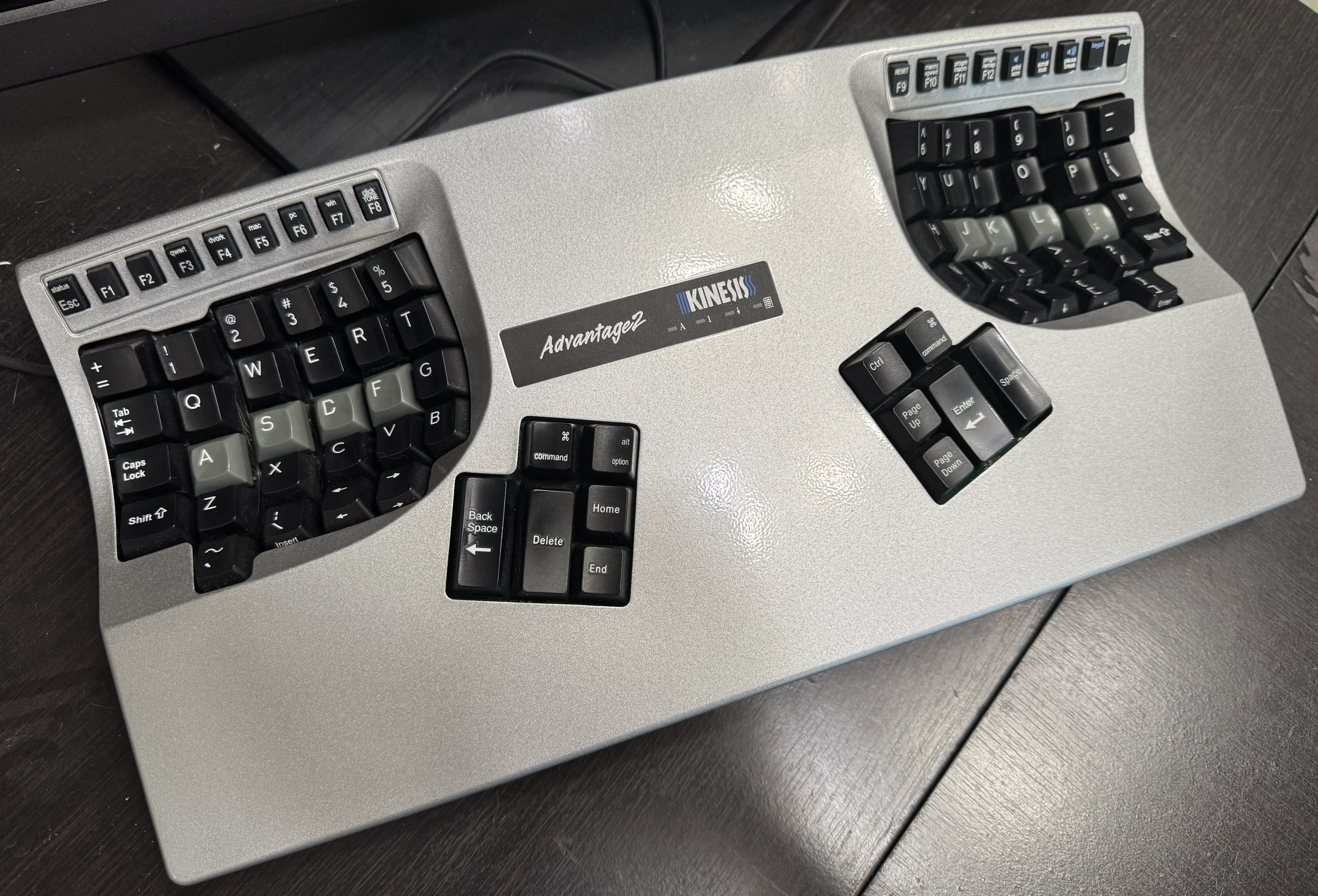
It’s not listed on their official site anymore, but I got the silver one (to match the “Macbook Pro” colors):
Mouse#
Logitech G305#
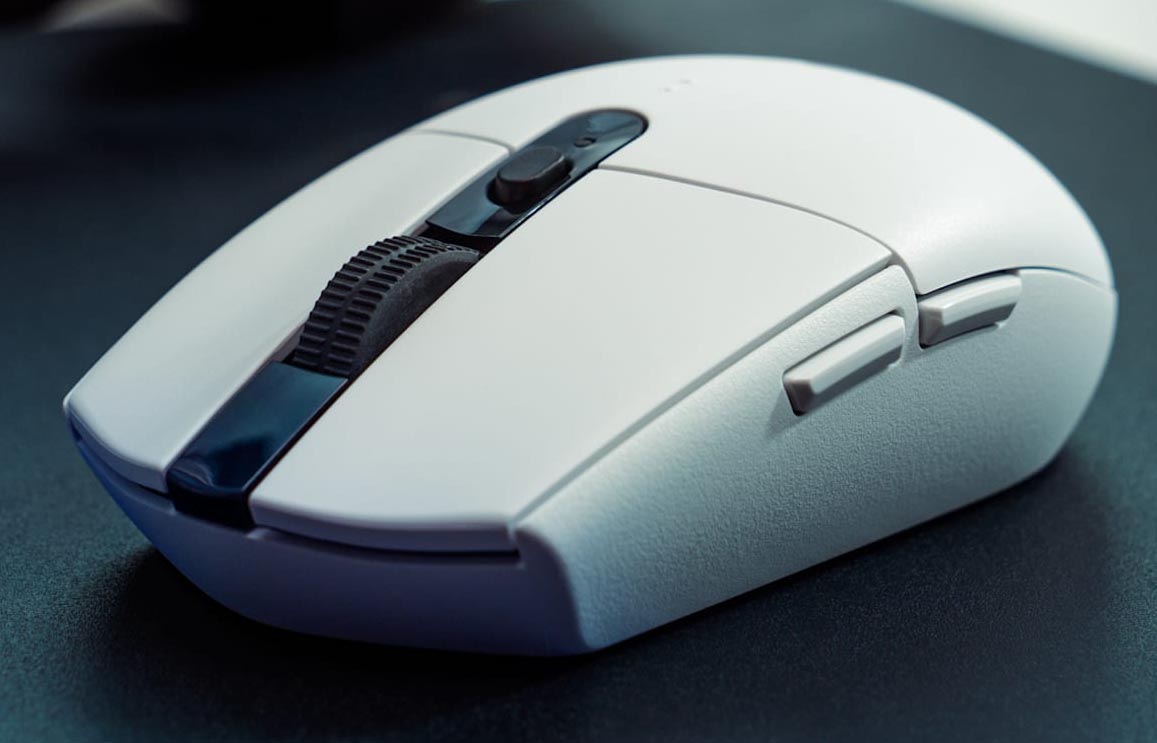
Simple, lightweight, reliable, cheap, functional.
It’s small-enough to be used by anyone, but has the right slants on the side so my larger hands can fit without discomfort.
It takes a single AA battery, so when it does die, you don’t have to wait to charge.
Wireless, so no cable to tangle.
The basic 5 buttons, and the back/forward don’t get in the way on the thumb.
They also come in a variety of colors and editions, so you might even be able to get something “fun” to match your style.
They do die in the traditional Logitech “button starts double-clicking because the clicker is worn out” way; I’ve bought more of these than I can count. Easy 3-4 year lifespan with daily use.
Razer Naga V2 Pro#
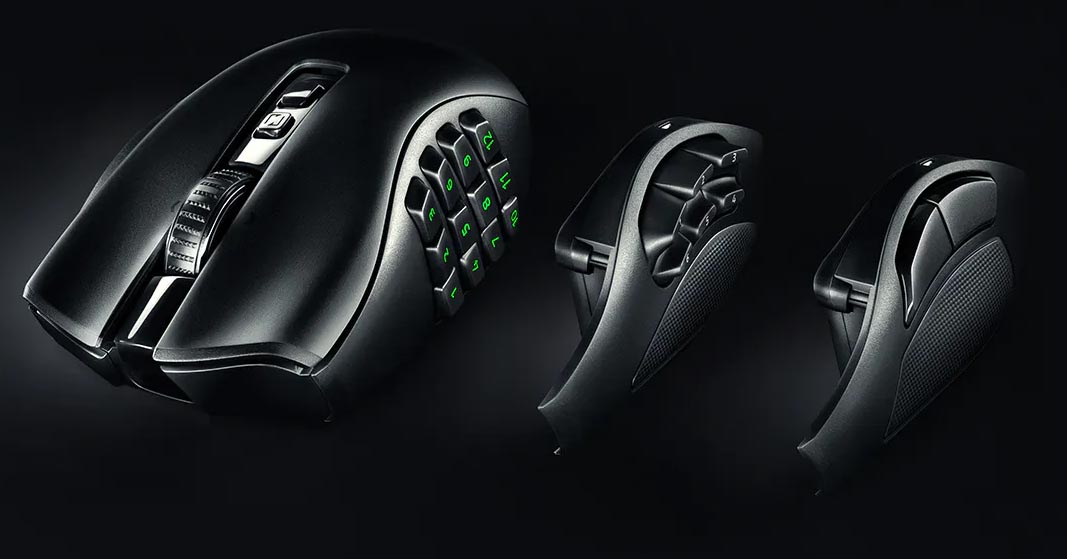
This is a gaming mouse, targeted at MMO games where having a lot of inputs right on tap is an advantage. I bought it for Final Fantasy XIV, primarily.
It has swappable side-panels; I run the full 12-key numpad, but there are ones with fewer, larger keys depending on what you need.
Each key is shaped differently - you can tell (once you learn it) by touch, without looking, where your thumb is. This is an ingenious and super-correct design for a mouse like this.
In addition, the right side has a perfectly-placed ledge to catch your pinky finger and give it place to rest rather than having to be held up or dragging on the desk.
It is wireless, so no cables to tangle. And, it’s deceptively lightweight - making it easier and less-taxing to quickly move it to where the game demands.
It’s a very well-engineered piece of ergonomics. If I didn’t have something even more-ergonomic, this would be my daily driver.
Logitech MX Vertical#
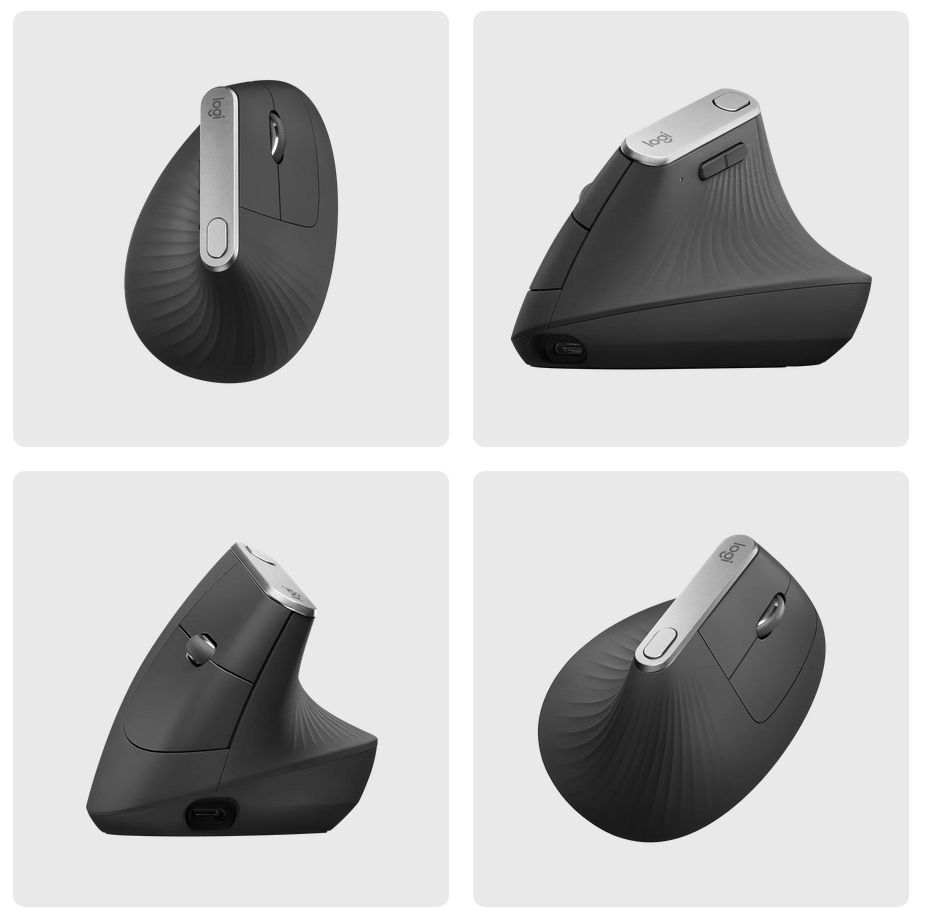
This is the ideal ergonomic mouse for me. I have two of them - one for work, and one for my main desktop computer. They wear out, I replace them. I have purchased at least four so far.
Nothing comes close.
Ergonomics
- The handshake angle is perfect - quite vertical, not horizontal at all.
- It’s very lightweight, so the effort required to move it is minimal.
- It’s big - I have big hands and I don’t have to make a little claw to fit on it.
- The Lift is similar, but smaller - too small for me!
Logistics
- It only has the 5 standard buttons; nothing gets accidentally clicked.
- Wireless, so no cables to tangle. USB dongle and Bluetooth.
- Supports up to 3 devices at once.
- Battery life is on the order of months.
Features
- Built-in DPI toggle for thumb to adjust sensitivity.
It does die in the traditional Logitech “button starts double-clicking because the clicker is worn out” way. If you don’t hit that first, the rubber grip eventually gets weirdly tacky from your skin oils.
Lifetimes have been 3 and 4 years so far; I just recently purchased the two members of the third generation of my ownership of these in summer 2026, so… I expect them to last until summer 2029-30.
Headset#
SteelSeries Arctis Pro Wireless#
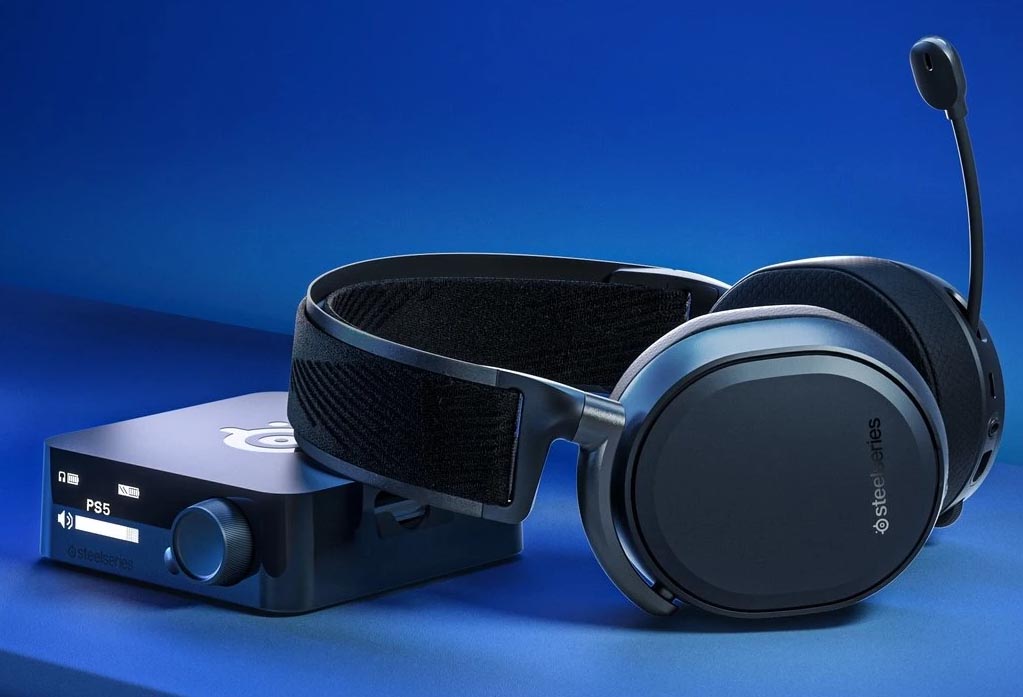
Does a headset even count as a human interface device?
Briefly, the SteelSeries Arctis Pro is cool because
- It comes with lithium batteries, but two of them, and the desk unit is also the charger - zero downtime despite being “rechargeable.”
- It has with TWO audio output channels whose volume can be adjusted independently:
- “Game” for normal audio
- “Chat” for you to bind Discord, Teamspeak, etc, to, so you can toggle your comms volume independently of game volume, with the headset controls - no having to go into separate applications and possibly pause (or die in) the game.
Other#
Atolla Toggleable USB Hub#
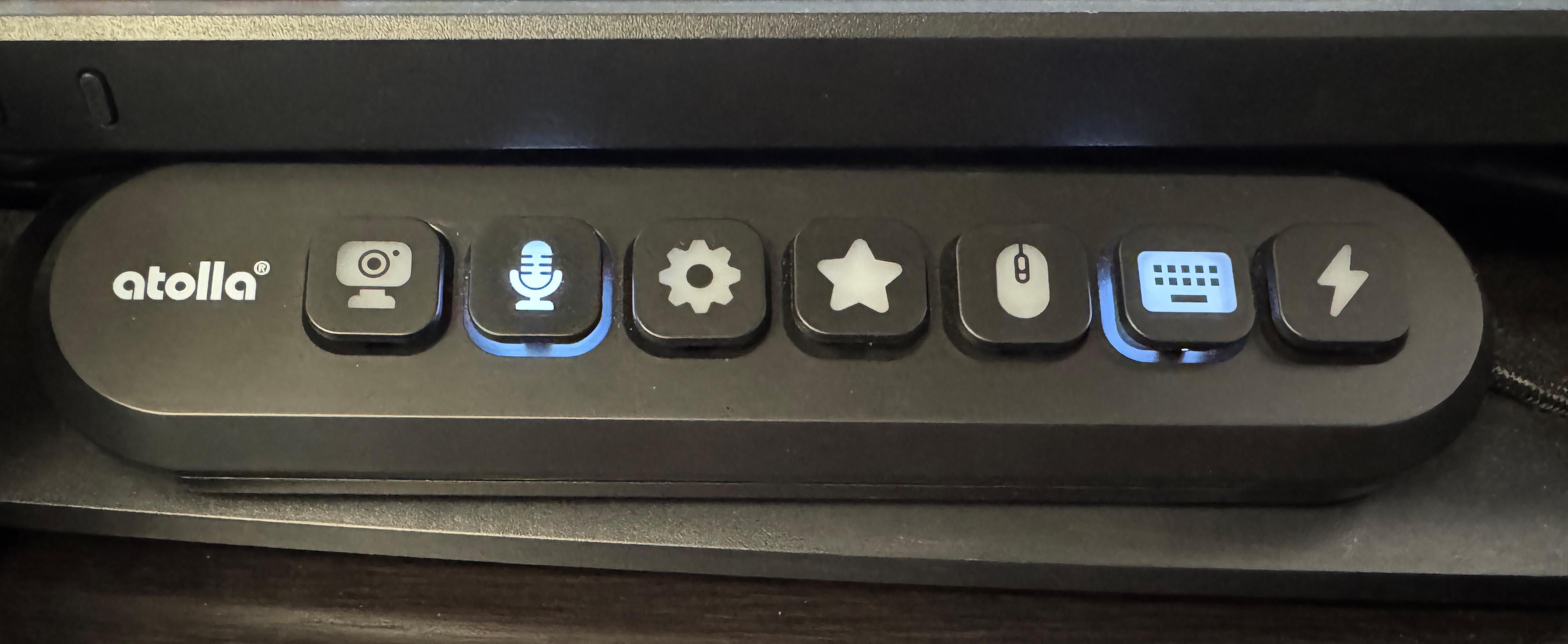
A USB 3.0 hub with on/off switches for each port. Each switch illuminates when it’s on, and the keycaps are swappable.
This lets you build hardware disconnects for arbitrary USB devices.
I have the KR-307 that’s all USB-A; they also have a KR-407 that has two USB-C ports.
The far-right port is a fast-charge port and lights up red. You could use this for a usb-powered accessory that didn’t necessarily need data - just some juice.
I have a camera (QR/Barcode scanner) and microphone running through it so I can hardware-disconnect the recording devices. I also run my Razr Naga Pro MMORPG Mouse through it so I can turn it off and disable inputs when I’m not actually playing an MMO, without having to physically unplug or power anything off. I also run the SteelSeries Apex 7 through it because, for all its virtues, sometimes it just gets stuck and won’t send keypresses. I used to have to unplug and plug it back in - now I just push the button twice and it’s fixed.
Elgato Stream Deck#
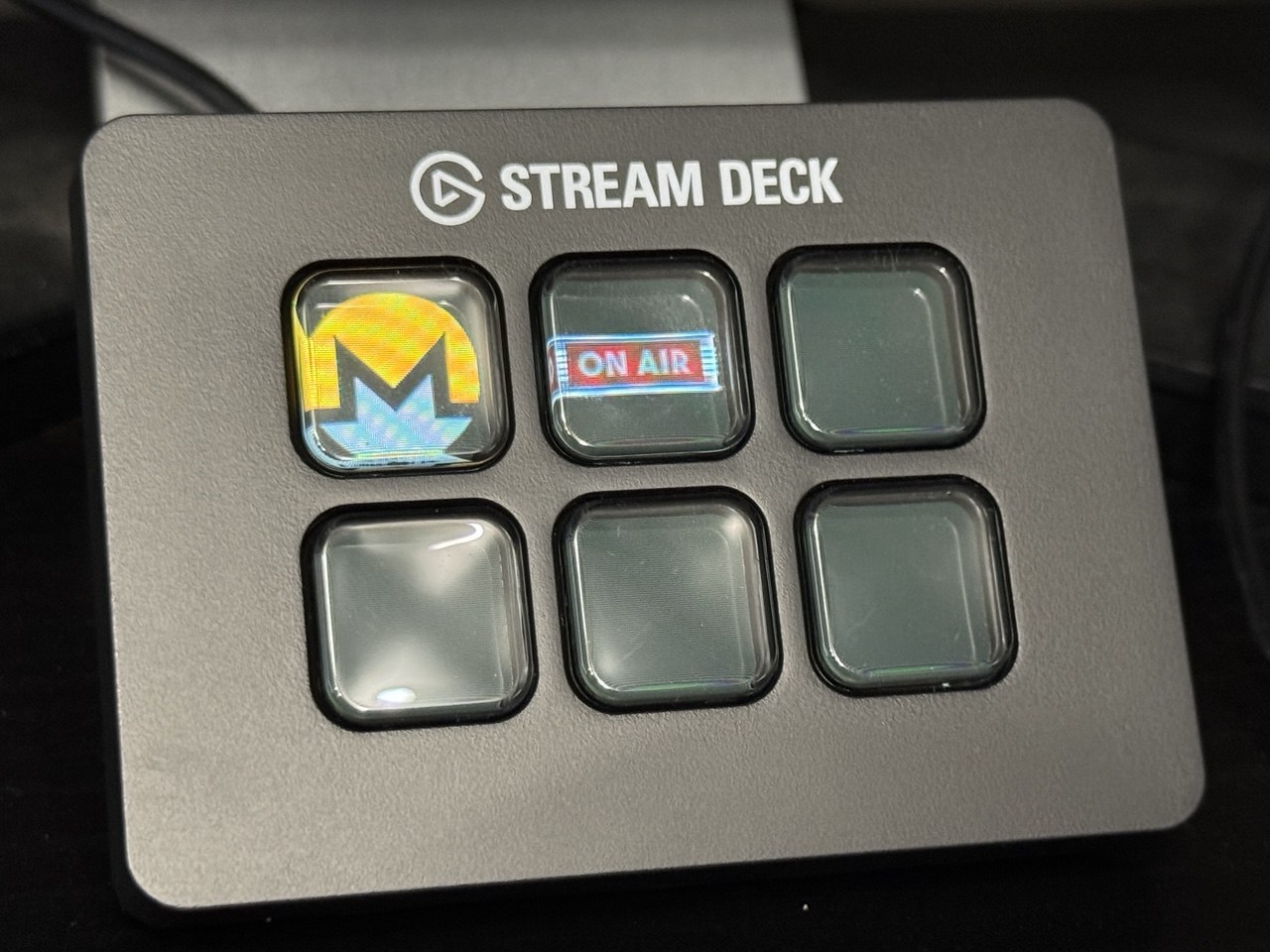
There’s a full write-up on what I’ve done with this, elsewhere on the site.
You get a bunch of buttons with LCD screens on them, and plenty of first-party and third-party software to make them come alive and do whatever you want.
Razer Tartarus Pro#
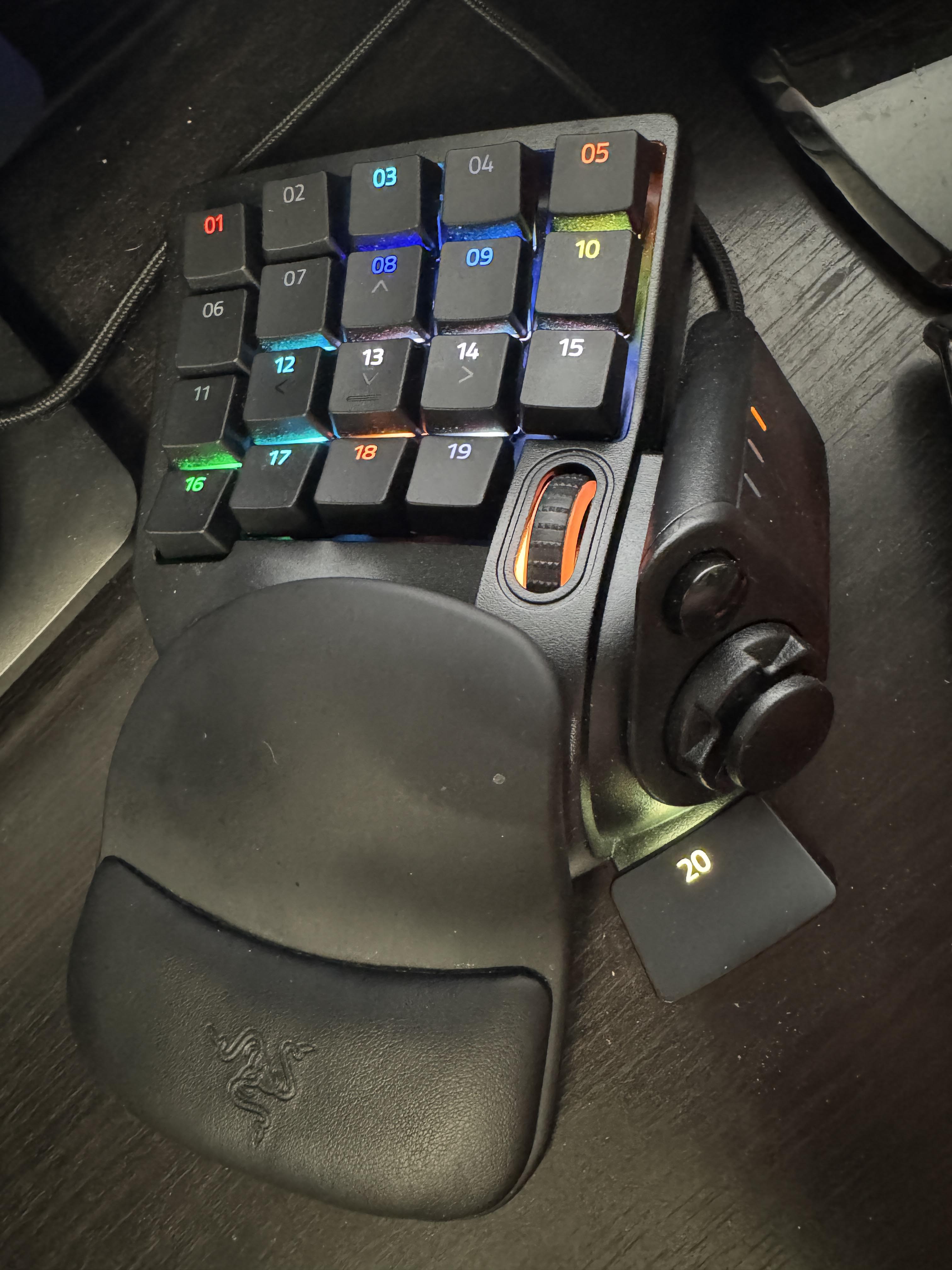
It is a left-hand gaming keypad with individually-controllable full RGB keys. But it’s also an awesome human-interface device. In addition to a bunch of convenient buttons for your fingers, it has an 8-direction joystick and a big fat function key for your thumb. And a scroll wheel. With a mouse in your right hand, you’ve got scroll in both hands. Convenient? Sure. But there’s no rule saying they both have to scroll the same things!
With the Razer Synapse vendor software or reWASD, you can easily bind any of its keys to any function and switch them per-focused-application.
In addition, it has on-board memory and 3 configurations you can cycle through with a thumb button per focused application.
This means when a game - say Final Fantasy XIV - launches, it’s loaded for that game - colors, mappings, etc. And I can have three separate mappings for that game that I can cycle through with the tap of a button. Say, Tank, Ranged DPS, and Melee DPS.
Switch to another game? The new set of mappings comes live - and you can have 3 custom ones there, too. Dead by Daylight? One for Killer, one for Survivor, etc., etc.
CAD or graphics software where you aren’t typing words but are pressing lots of buttons? Hey now you can just have a button for each. Different modes in your graphics software? You’ve got 3 keymappings cycle-able at the touch of a button.
This thing is sick!