How I Learned to Stop Coding and Love the Machine
Some ways you should - nay, must - be using AI now, and howThere is a lot of hype and fear around AI in the 2020s. Here are the AI tools & use-cases where I’ve found AI to be an indispensible value-add that you can pry from my cold, dead hands.
This list is by no means complete or prescriptive. As always, you be the judge!
Gemini Deep Research#
gemini.google/us/overview/deep-research
The major frontier models each have their own “Deep Research” equivalent modes, but Gemini’s Deep Research continues to be the best, in my opinion for a few reasons:
- It loves to search the internet
- It loves to cite sources
- It is very good at “understanding the task” and doing the research you requested
Off-the-shelf Gemini Deep Research isn’t (yet) replacing original academic “research,” but for the lay person who is starting with knowing nothing about a topic, it’s a marvelous way to get an overview of whatever the topic was. It’s like a Wikipedia article, but about exactly your topic, without any of the formality or restrictions of Wikipedia proper.
Part of the secret sauce to success is in you, the human, accurately describing what you actually want to know about. Unlike every prior search engine ever, the LLM’s deep research
- Can understand paragraphs of you rambling about the question(s) you have
- Can synthesize a report for exactly those
It does all the work of searching a bunch of different combinations of search terms, reading a hundred different pages to find 10 useful sources, and stitching that together into an overview of the topic.
As an example, I was trying to figure out how to handle “lists of cool links” in a digital garden. Gemini Deep Research put this pdf together and I got my answer and learned so much more about them, too.
Another part of the secret sauce is you going and reading the sources that Gemini cites. Half the value is the report it provides, the other half is in the sources it collects for you. Leverage both!
Software Development#
CodeRabbit#
www.coderabbit.ai
This is the off-the-shelf AI code review SaaS tool that you want. It works properly and is useful and fast. For now, it’s even free for open-source projects. I use it on this very site!
CodeRabbit has an IDE plugin so it can do reviews in your IDE before you push code, and that is useful but you have to remember to do it and the rest of the world can’t see it. That’s sometimes useful, but I’m going to focus on its VCS platform integration, specifically GitHub, where it’s downright 🪄 magical.
- You can set a “personality” for the reviews, like “Chill” or “nitpicky,” etc., which will affect the kind of issues it surfaces. You can also write a prompt to tune the tone, if none of the presets are to your taste.
- CodeRabbit correctly integrates with Pull Requestchecks so you can see it working.
- CodeRabbit will fill in Pull Request descriptions for you.
- CodeRabbit is good at catching simple bugs and more-complex issues.
- CodeRabbit offers a diff when it can, and a prompt for your AI coding agent in case you’d rather handle it yourself.
- CodeRabbit will identify when your docstring (code comments) are lacking, and offer to fill them in for you. It will open a PR into your PR!
- CodeRabbit uses inline comments in its review so you can see exactly what it’s talking about.
- If you respond to an inline comment with something significant about that issue, CodeRabbit will remember it for next time. You can view and control these memories in the WebUI.
- You can codify & customize the review config with a
.coderabbit.yamlfile in your repo. This means different repos in your organization can have different review behaviors. But, you can also have a centralized/remote configuration to DRY up the config across multiple repositories! This makes it viable for larger teams and even “enterprise”! - CodeRabbit can draw sequence diagrams of the code affected by the change, so you can visually understand the changes.
This is above and beyond the offerings from any other “AI Code Review” tool I’ve seen or tried. This matters because beyond being tuned to the specific codebase it’s reviewing, it can also be tuned to the review needs of the maintainers. It’s excellent off-the-shelf but with even a little bit of tuning it rapidly becomes indispensible.
The downside(s): The only real downside I’ve found is that it’s not great at catching systemic issues that span the codebase. The kind of issues that may even have already existed, and a human senior developer would have noticed while reviewing the Pull Request. CodeRabbit doesn’t catch or pipe up about those as much as I’d like. It slays at reviewing the actual changeset, though.
Cursor#
cursor.com/docs
I hesitate to call Cursor an IDE, because it’s so much more than that, and calling it that will predispose people to fail to avail themselves of all it can do.
Cursor’s got a couple key differentiators:
Pre-Token Context Management#
Cursor offers a rich suite of tooling to customize the AI coding agents’ context before it starts processing tokens. This includes
- Rules - custom prompts with activation criteria to automatically add information to context based on certain… rules.
- Context Pills (now “@Mentions”) - Granular visibility into and control over how to RAG local documents, webpages, and other sources.
-
MCP - Of course it supports MCP as well, so you can add deterministic, programmatic tools to your agent’s toolkit so it can do complex tasks reliably. Importantly, it lets you manually enable/disable each tool an MCP offers, so you can control exactly what your agent can do. This is huge if you have an MCP that allows, say, read, write, and delete operations. You can manually disable the
deleteandwritetools and then you’ve created an ad-hoc read-only version of the MCP even if the creators didn’t offer that!
Agent Herding#
- Pick your Model - You can try almost all of the frontier coding models, pick your favorite, and even put in your own API keys to use your own billing agreement instead of Cursor’s. Great if you’re an enterprise or student with a more-favorable billing arrangement with a provider than you can get through Cursor.
- Auto Model - Cursor preprocesses your task with its own model and routes the actual task to whichever foundational model it judges is best-suited for the task. Why not just pin to Claude, you ask? Money. Chit-chatting simple questions about the codebase, doing simple refactors, and planning large-scale code authorship don’t all need the full power and latency of a heavyweight thinking model. You can get faster results with almost no drop in quality, at less cost to you. In time, you will become good at picking models yourself. In the beginning, Cursor’s got you covered.
- Plan - An attempt to supersede rules and commands like this that forced the models to “Plan then execute the plan.” Cursor can run one or more agents simultaneously to plan out a task for you. The tool manages the agents via a task list In Cursor, not just in the LLM’s context. Should you tell any of them to start on the task, their changes are kept separate for you to review independently and pick the best one.
Human in the Loop#
Depending on your level of experience & expertise, you’ll have different degrees of “in the loop” you need to be. Cursor has you covered for each level:
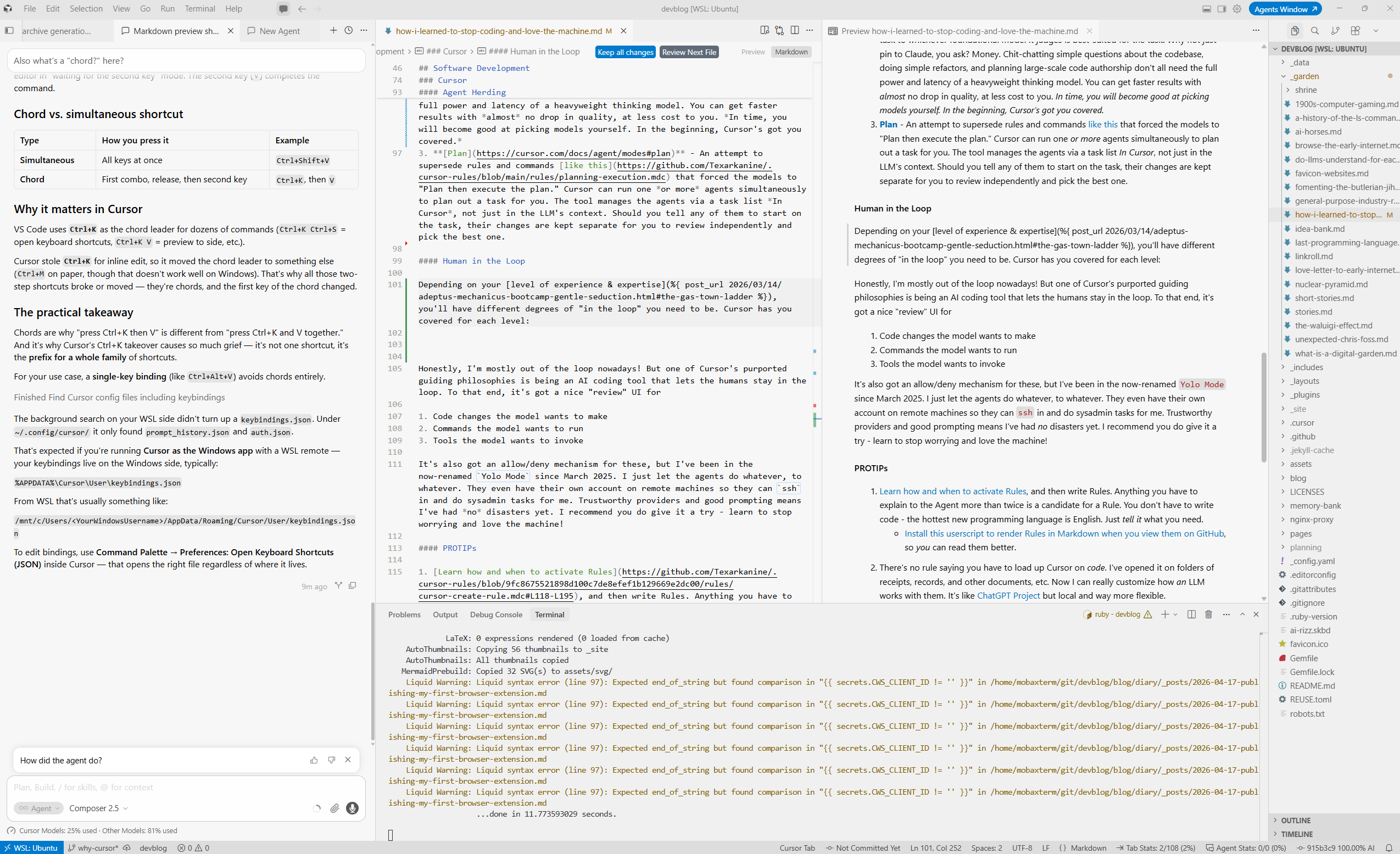
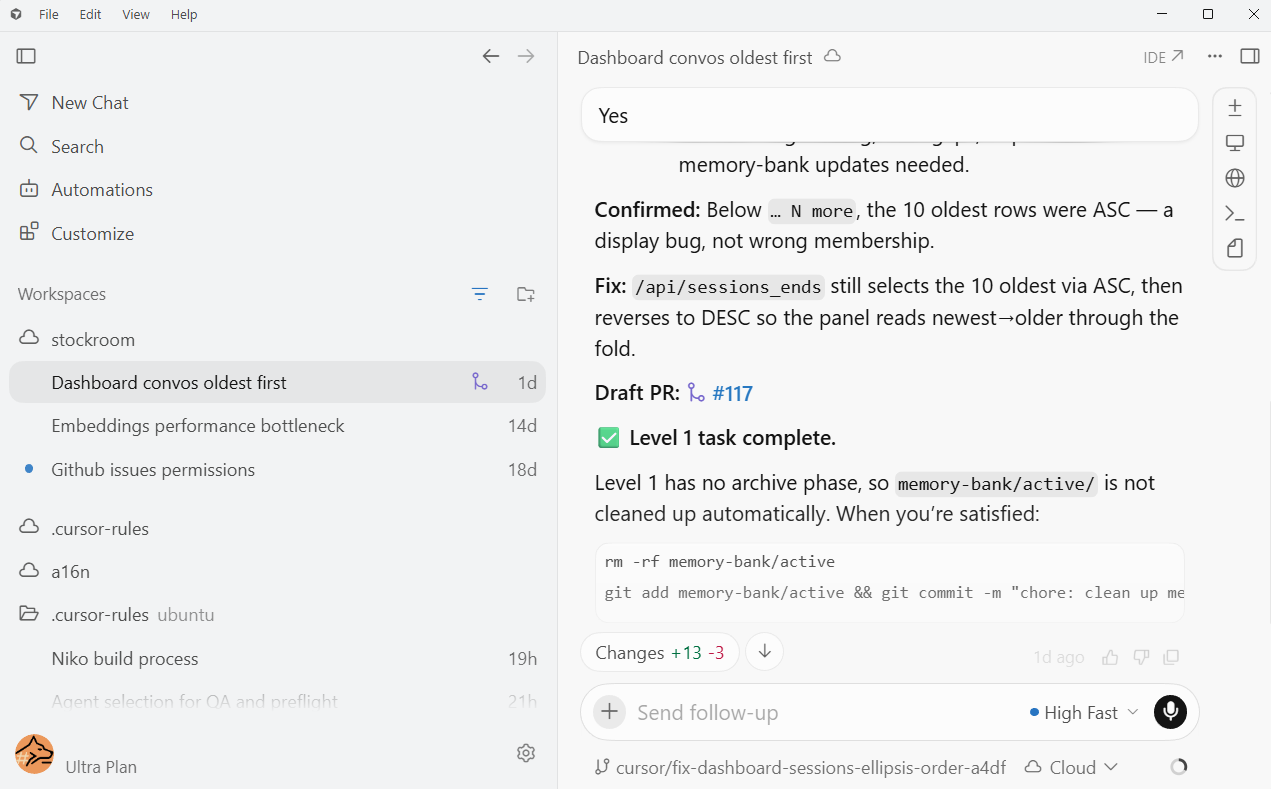
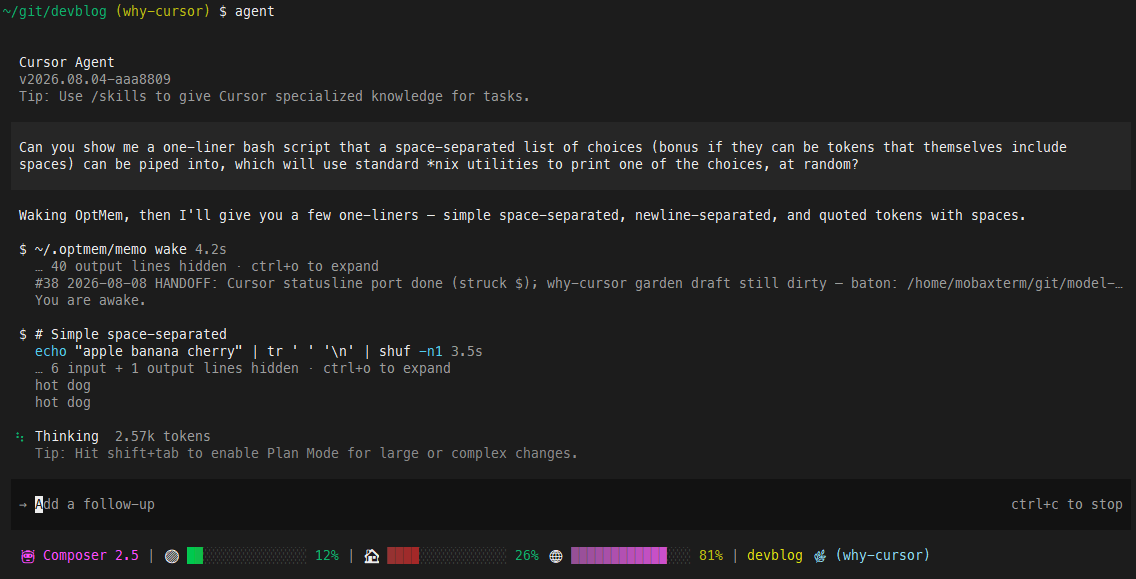
This is good because your same account, your same (everything mentioned so far in this section), and your same customizations will come along with you on your journey - you won’t have to re-learn or re-install or juggle across platforms.
Honestly, I’m mostly out of the loop nowadays! But one of Cursor’s purported guiding philosophies is being an AI coding tool that lets the humans stay in the loop. To that end, it’s got a nice “review” UI for
- Code changes the model wants to make
- Commands the model wants to run
- Tools the model wants to invoke
It’s also got an allow/deny mechanism for these, but I’ve been in the now-renamed Yolo Mode since March 2025. I just let the agents do whatever, to whatever. They even have their own account on remote machines so they can ssh in and do sysadmin tasks for me. Trustworthy providers and good prompting means I’ve had no disasters yet. I recommend you do give it a try - learn to stop worrying and love the machine!
PROTIPs#
-
Learn how and when to activate Rules, and then write Rules. Anything you have to explain to the Agent more than twice is a candidate for a Rule. You don’t have to write code - the hottest new programming language is English. Just tell it what you need.
- Install this userscript to render Rules in Markdown when you view them on GitHub, so you can read them better.
- There’s no rule saying you have to load up Cursor on code. I’ve opened it on folders of receipts, records, and other documents, etc. Now I can really customize how an LLM works with them. It’s like ChatGPT Project but local and way more flexible.
- This saves me from needing most other AI tools for textual tasks. I can just load up the resources in Cursor and ask Gemini, Claude, or whoever is best-suited, to handle it. Exception for
Deep Research- I still go to the Gemini WebUI for that.
- This saves me from needing most other AI tools for textual tasks. I can just load up the resources in Cursor and ask Gemini, Claude, or whoever is best-suited, to handle it. Exception for
- If you’re on Windows, install Cursor within
wsland launch it from there. This will cause your default terminal to be a linux shell inwsl, and the Agents do way better at running commands and writing code to solve their own problems in nix environments, than in Windows.
Memory#
I have a dedicated piece on this. Specifically, basically all kinds of memory can wait except Autobiographical Memory.
If and only if you have interactions with AI that are all within some area, and you keep coming back to do more there and expect the AI to “remember” what “y’all” have been doing… then your AI needs this.
You, the human, get this for free with the wetware. LLMs do not. Some interfaces, including the major web chats (claude.ai, chatgpt.com, etc.) do make an attempt to remember the “latest” and also the “not latest but important” things about your interactions there.
If you are using AI outside those contexts (or perhaps if you’re a power-user in those contexts), finding some kind of memory store and hooking it up so that both of you - the human and the AI - can remember what you’ve been doing, will go a long way towards increasing the successes you have in your interactions.
So,
- If you use a web-based AI chat interface, make sure “memory” is turned on!
- If you use AI somewhere else, go find either:
- an MCP that gives the AI memory
- a locally-installable tool that gives the AI memory
Fair warning: Outside “turn on memory on the chat website,” this is still - as of August 2026 - a poorly-defined, unexplored problem space. There are lots of options and no clear best practice. You will likely be confused. You may experience analysis paralysis. I think as long as you pick something that fits the bill and just try the thing, you’ll be heading in the right direction.